Printer Remote Support Scam
A website uses the names and logos of printer companies to make a printer problem look urgent. It tells visitors to download a printer driver or get support, then offers remote-access tools that could let an unfamiliar person control the computer.
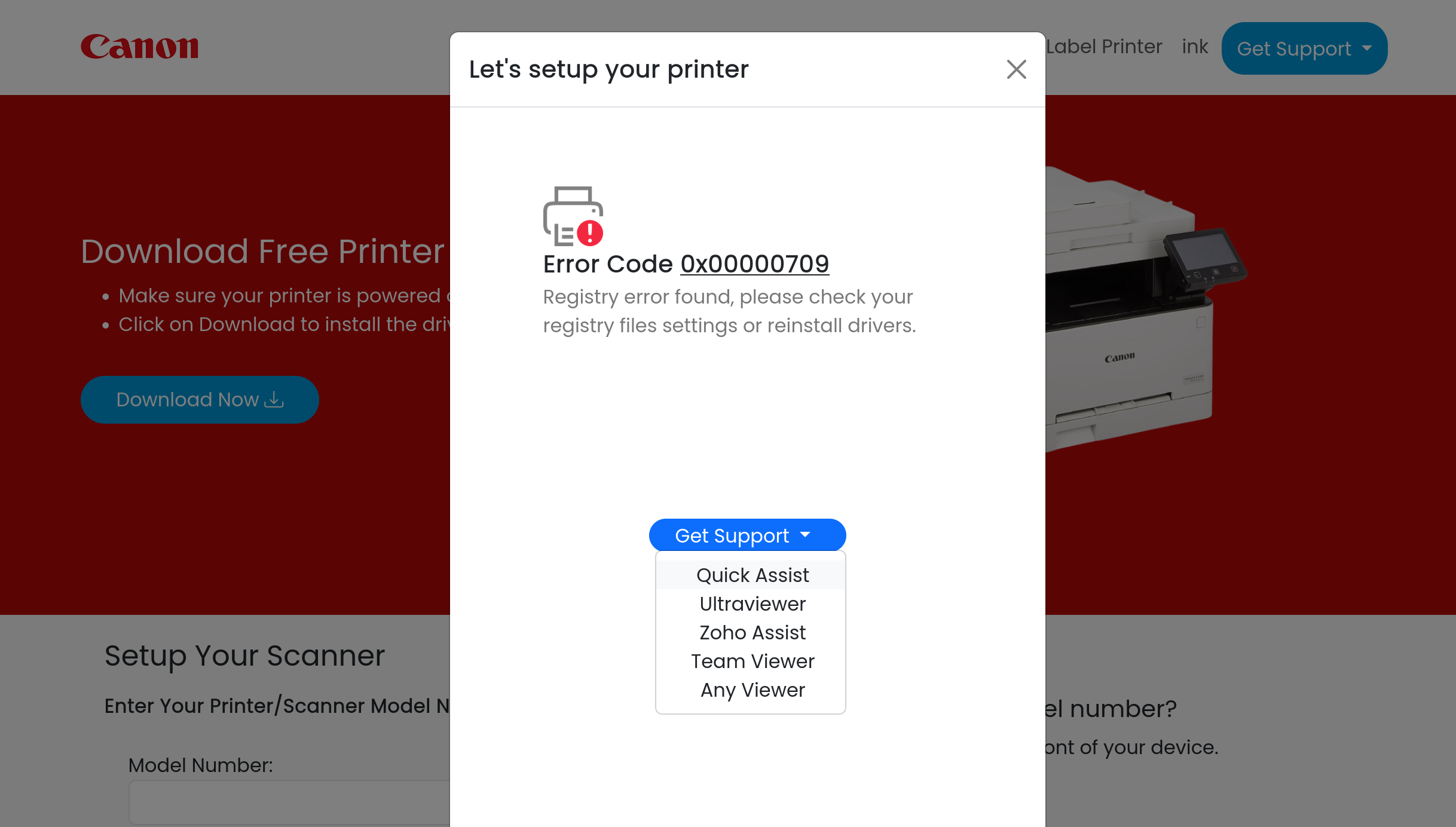
How this scam works
- 1
The website presents itself as a printer company's support or setup page and may use a brand such as Canon, Brother, or HP.
- 2
It shows a printer error or setup problem and encourages the visitor to download a driver or choose a support option.
- 3
The support menu lists remote-access tools, which could allow an unfamiliar person to view or control the computer.
- 4
A scammer may then pretend to fix the printer while seeking access to files, accounts, passwords, payment information, or additional software.
✓ Do this
- Close the page and use the printer company's official website or the manual that came with the printer.
- If you already installed remote-access software, disconnect the computer from the internet and ask a trusted technician or the software maker how to remove it safely.
- Change important passwords from a different trusted device if someone may have accessed the computer.
✗ Avoid this
- Do not download software from an unexpected printer-support page.
- Do not give an unknown person remote access to your computer.
- Do not share passwords, one-time codes, banking details, or payment information with supposed support staff.
Different versions of this scam
3 examples![Brother printer driver page at brother.myprinter[.]live](/images/printer-remote-support-scam/brother-printer-support-myprinter-live.png)
![Canon printer support page on myprinter[.]live offers remote-access tools](/images/printer-remote-support-scam/canon-printer-support-myprinter-live.png)
![HP printer driver download page using the same myprinter[.]live layout](/images/printer-remote-support-scam/hp-printer-support-myprinter-live.png)
Need help with a similar message?
Do not reply, pay, or use contact details in an unexpected message. Verify through the official app or website, then report what you saw so the Archive can connect related patterns.
Quick tip: Verify independently
Don’t call numbers or click links in unexpected messages. Go directly to the company’s official site or app and contact support from there.