Booking.com Host Reservation Change Scam
Scammers target property owners, hosts, and managers who list on Booking.com. The message claims a guest wants to change or extend a stay and pressures the host to confirm quickly so they do not lose the booking. The link usually leads to a fake Booking.com sign-in or approval page designed to steal account credentials or take over the host account.
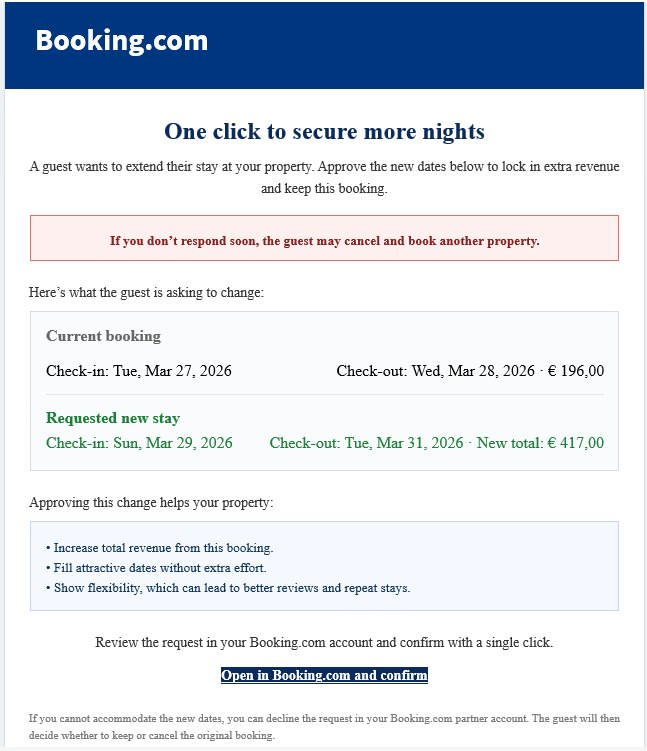
How this scam works
- 1
Step 1: A host receives an email or message that looks like it came from Booking.com about a guest reservation.
- 2
Step 2: The message says the guest wants to change dates, extend the stay, or make another booking-related update.
- 3
Step 3: It creates urgency by warning that the guest may cancel unless the host responds right away.
- 4
Step 4: The host is pushed to click a button that appears to open Booking.com and confirm the request.
- 5
Step 5: The link can lead to a fake Booking.com page that steals login details or access to the host account.
✓ Do this
- Log in to Booking.com directly from your normal browser bookmark or app to check whether the request is real.
- Turn on strong two-factor authentication and review your account for unfamiliar logins or changes.
- Contact Booking.com support through the official partner dashboard if you are unsure whether a reservation request is genuine.
✗ Avoid this
- Do not click links in unexpected reservation-change emails, even if the branding looks real.
- Do not enter your Booking.com login details on pages you reached from email buttons.
- Do not rush because of warnings that a guest will cancel unless you act immediately.
Different versions of this scam
1 example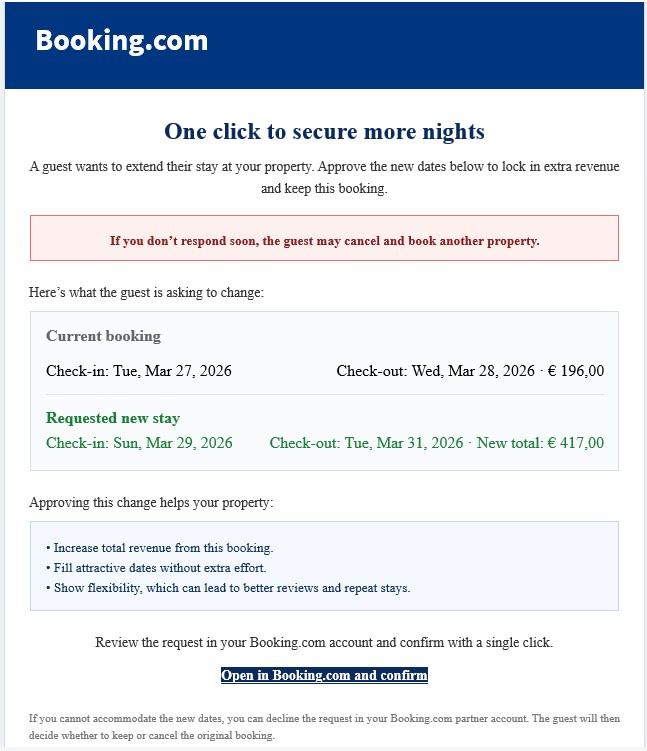
Need help with a similar message?
Do not reply, pay, or use contact details in an unexpected message. Verify through the official app or website, then report what you saw so the Archive can connect related patterns.
Quick tip: Verify independently
Don’t call numbers or click links in unexpected messages. Go directly to the company’s official site or app and contact support from there.