This is a version of Lost Device Location Passcode Scam.
Fake Find My map shows a located iPhone and asks for the phone's Security Code
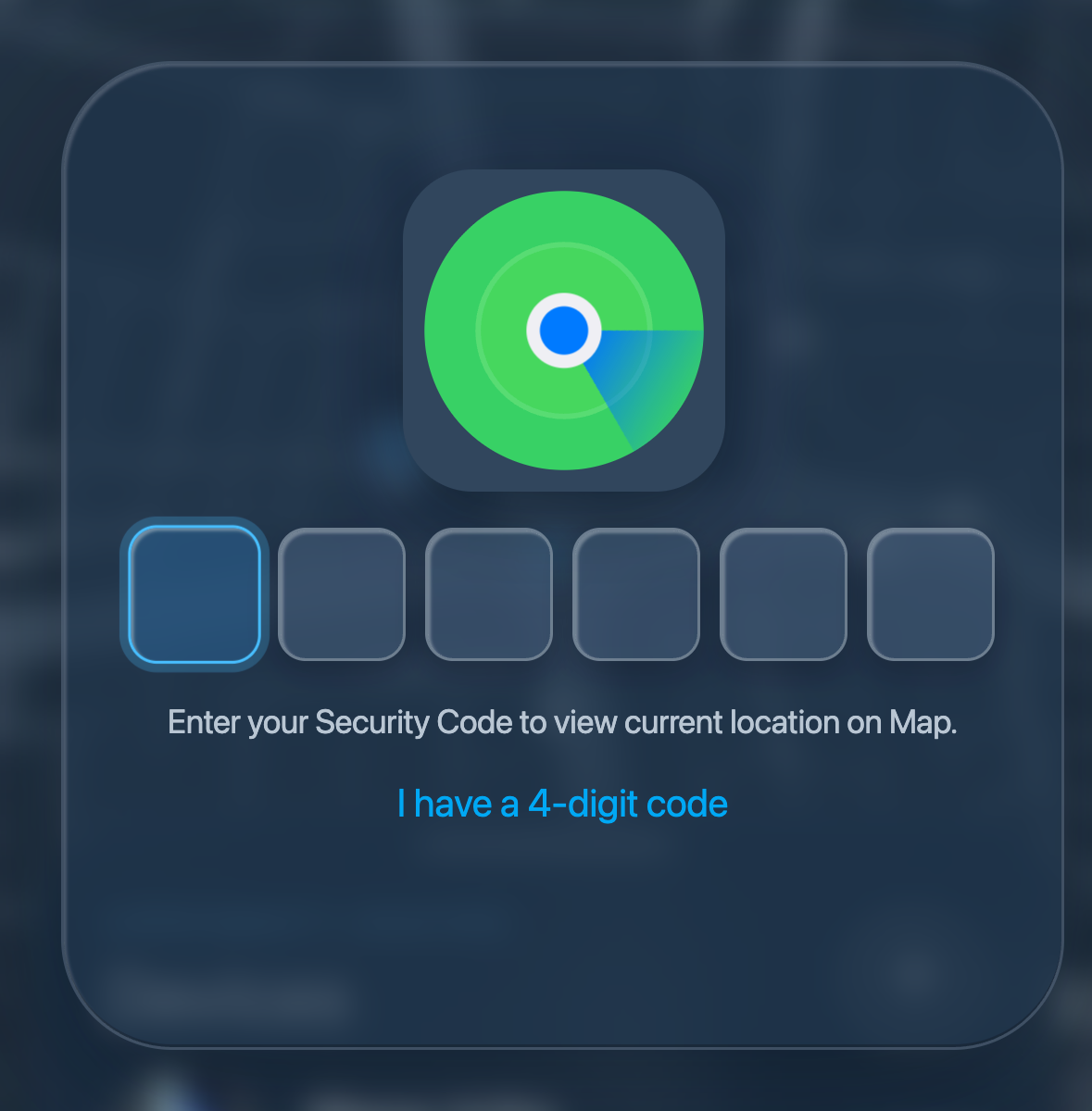
A page on a look-alike domain imitates Apple's Find My. A map animates and zooms in on a street in Bogota, and a panel lists a device named "iPhone 14 Pro" marked Online. A sign-in card then covers the map and asks for a six-digit "Security Code to view current location on Map," with a link offering a four-digit alternative. The device name and location are fixed in the page and identical for every visitor. Whatever code is entered first is reported as incorrect after it has already been sent, prompting a second entry. After the second code the panel changes to "Sign in with your Apple Account" and asks for an email address and password, and the visitor is then sent to the genuine icloud.com.
What’s different in this version
These traits set this message apart from the usual pattern.
-
The page asks for the phone's own unlock passcode, labelled "Security Code," before it asks for the Apple Account email address or password.
-
The offer of a four-digit alternative matches how iPhone screen passcodes are set, rather than the six-digit codes Apple sends for verification.
-
The device name "iPhone 14 Pro" and the Bogota location are written into the page in advance and are the same for every visitor.
-
The page reports the first code entered as incorrect after sending it, which results in the code being entered a second time.
-
The account email address is sent as soon as the visitor moves past the email field, before any password is entered.
-
After the sequence the visitor is redirected to the genuine icloud[.]com, so the interruption does not look like a failure.
-
The domain used a lowercase letter L in place of the letter i in "icloud," and ended in .co rather than .com.
-
The domain was registered on 2026-09-15, one day before the page was submitted for review.
-
The page served an identical loading screen at every address on the site and only produced the map after an automatic form submission, which kept the content from being retrieved directly.
-
A robots.txt file on the site blocked Applebot before all other automated visitors.
-
The page's script contains comments written in Spanish; this does not establish who created or operates the page.
-
The page carried an internal link reference number; a reference number is not a count of recipients or of affected people.
How this scam works
- 1
Step 1: A phone is lost or stolen and the owner marks it missing, often adding a contact number to the lock screen.
- 2
Step 2: A message arrives saying the device has been located, with a link to a page that copies the look of a phone-finding service.
- 3
Step 3: The page shows a map that zooms in on a street and lists a device marked online, which makes it appear that the phone has genuinely been found.
- 4
Step 4: The page asks for the phone's unlock passcode, calling it a security code needed to view the location on the map.
- 5
Step 5: Whatever is entered the first time is reported as incorrect, so the code is typed a second time and the operator receives two copies to compare.
- 6
Step 6: Some versions then show a sign-in panel and ask for the account email address and password, sending the email address as soon as it is entered.
- 7
Step 7: The visitor is sent on to the real service's website, so nothing appears to have gone wrong.
✓ Do this
- Check a missing device only in the official finding app on another device you own, or by typing the official website address yourself.
- Treat the phone unlock passcode as the most sensitive code you have, not the least.
- Stop if a page rejects a code and asks you to enter it again; a repeated request is a reason to leave the page.
- Change the account password from a different device you trust, and change the device passcode, if either was entered into an unexpected page.
- Review the trusted devices and trusted phone numbers on the account and remove any that are not recognized.
✗ Avoid this
- Do not enter a phone unlock passcode into any web page, message, email, or caller, for any reason.
- Do not trust a device name, model, map, or online status shown on a page reached from a message; these can be written into the page in advance.
- Do not assume a page is genuine because a code was accepted or rejected; the page may not be checking the code at all.
- Do not use contact details or links supplied by the message to verify the claim.
- Do not act quickly because the page suggests the device is moving or about to go offline.
Verbatim excerpts from the scam
Exact lines from emails or messages—searchable text so you can compare wording.
- 1 Excerpt 1APPROXIMATE LOCATION
- 2 Excerpt 2Devices
- 3 Excerpt 3iPhone 14 Pro
- 4 Excerpt 4Online
- 5 Excerpt 5Enter your Security Code to view current location on Map.
- 6 Excerpt 6I have a 4-digit code
- 7 Excerpt 7Incorrect code. Please try again.
- 8 Excerpt 8Sign in with your Apple Account
- 9 Excerpt 9Keep me signed in
- 10 Excerpt 10Forgot password?