Fake Zoom Meeting Update Malware Scam
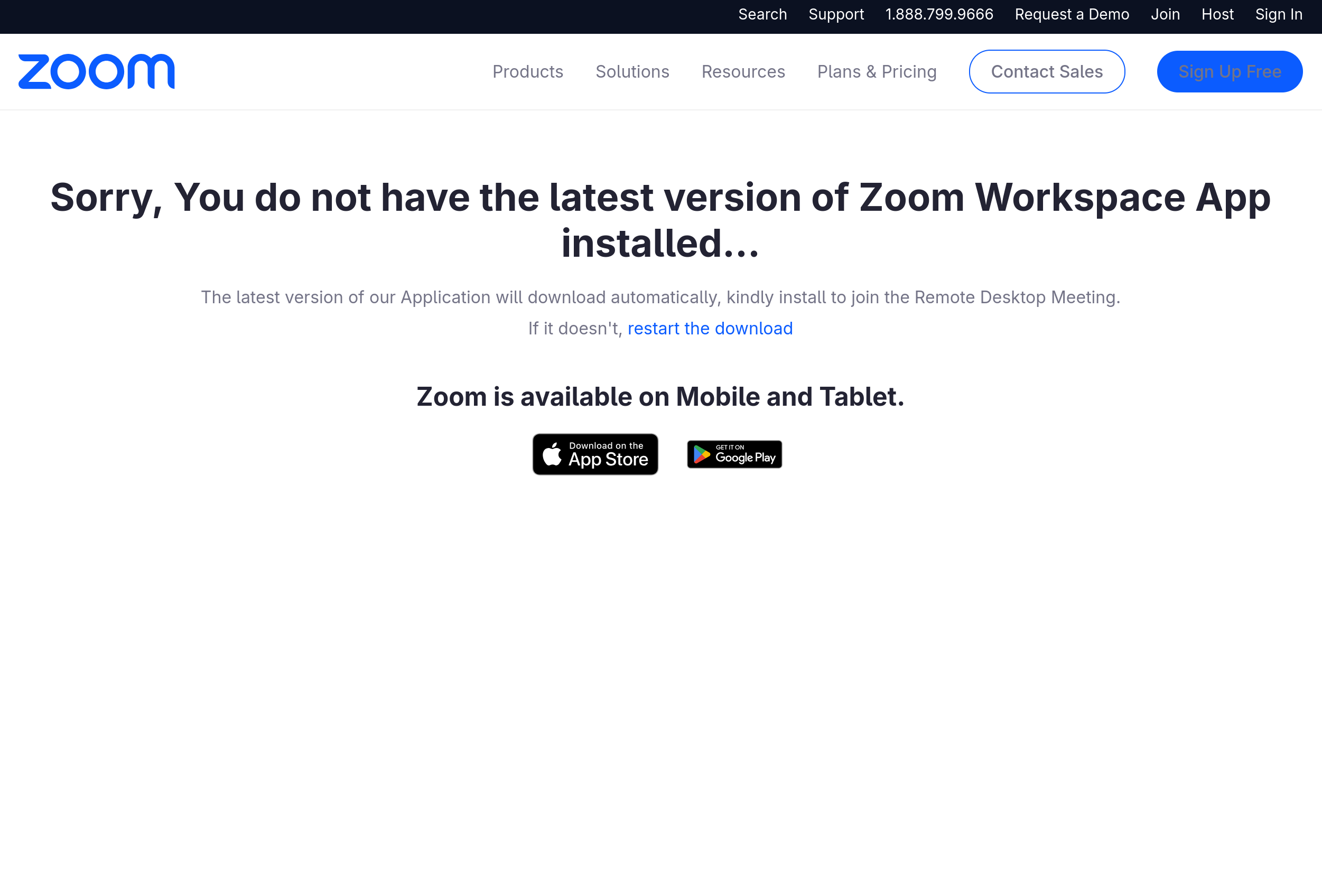
A fake Zoom meeting page copies Zoom branding and tells visitors that they need a newer version of the Zoom app before joining. It then downloads a file flagged as malware instead of a legitimate Zoom update.
How this scam works
- 1
A link opens a page that copies Zoom's logo, navigation, and meeting language.
- 2
The page claims that Zoom Workplace is out of date or missing and says an update will download automatically.
- 3
The visitor is directed to download or run a file before joining the meeting.
- 4
The file is malware rather than a legitimate Zoom update and can harm the device or steal information.
✓ Do this
- Close the page and join Zoom only through the official Zoom app or website.
- Do not open the downloaded file; delete it and empty the Trash or Recycle Bin.
- If you ran the file, disconnect the device from the internet and ask a trusted technician or adult for help.
- Change important passwords from a different clean device if you opened the file or entered information.
✗ Avoid this
- Do not install a Zoom update from an unexpected meeting page.
- Do not trust Zoom branding when the address is not an official Zoom domain.
- Do not run an installer just because a meeting page says it is required to join.
Different versions of this scam
0 examplesNeed help with a similar message?
Do not reply, pay, or use contact details in an unexpected message. Verify through the official app or website, then report what you saw so the Archive can connect related patterns.
Quick tip: Verify independently
Don’t call numbers or click links in unexpected messages. Go directly to the company’s official site or app and contact support from there.