Fake Interpol Email Extortion
Scammers send emails pretending to be from Interpol or another police unit, claiming you committed an “administrative offense.” They attach a fake letter with logos and official language, threaten arrest within 48 hours, and tell you to reply to a specific email address to “justify” yourself. Once you engage, they pressure you to pay a “fine” or hand over personal details. This is meant to scare you into acting quickly.
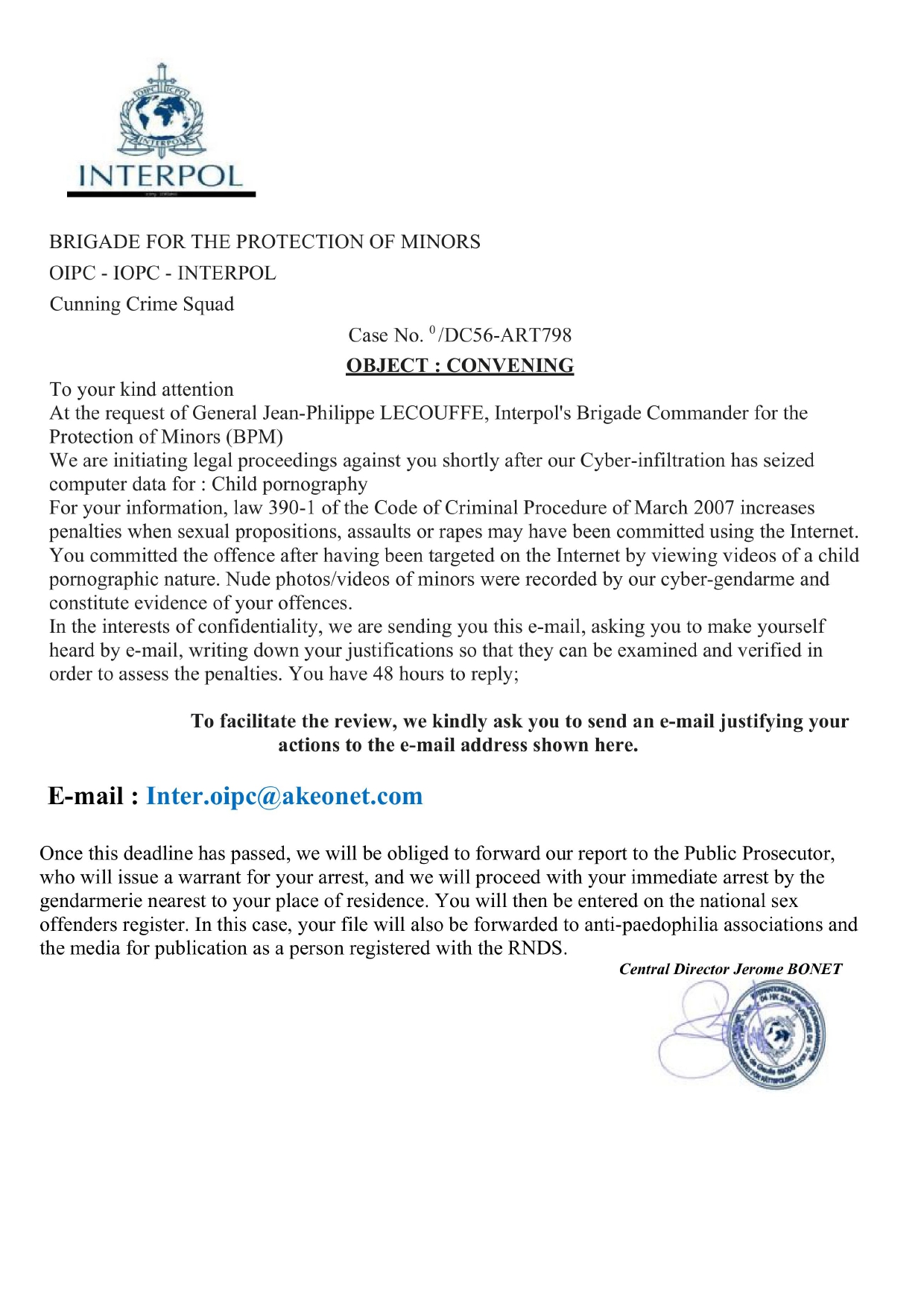
How this scam works
- 1
Step 1: You receive an email that looks official (Interpol logo, legal wording) with a subject like “Update on an ongoing administrative offense.”
- 2
Step 2: The message asks you to open an attached document that cites a made-up case number and a short deadline (often 48 hours).
- 3
Step 3: The attachment instructs you to reply to a non-official email address to avoid arrest or public exposure.
- 4
Step 4: If you respond, the scammer ramps up the fear and demands payment (sometimes via bank transfer, crypto, or gift cards) or sensitive information to “close the case.”
- 5
Step 5: If you ignore them, the threats continue for a while and then stop. Real law enforcement does not work this way.
✓ Do this
- Stay calm. Real police do not email threats or demand payment by email.
- Delete the email without replying. If you opened the attachment, run a security scan.
- Verify concerns directly with your local police using phone numbers from their official website.
- Keep a copy (screenshots) if you plan to report it.
✗ Avoid this
- Do not reply to the sender or the contact email in the attachment.
- Do not pay any “fines,” buy gift cards, or send crypto to resolve this.
- Do not open unknown attachments or click links from unexpected legal threats.
- Do not share your full name, ID numbers, bank details, or passwords.
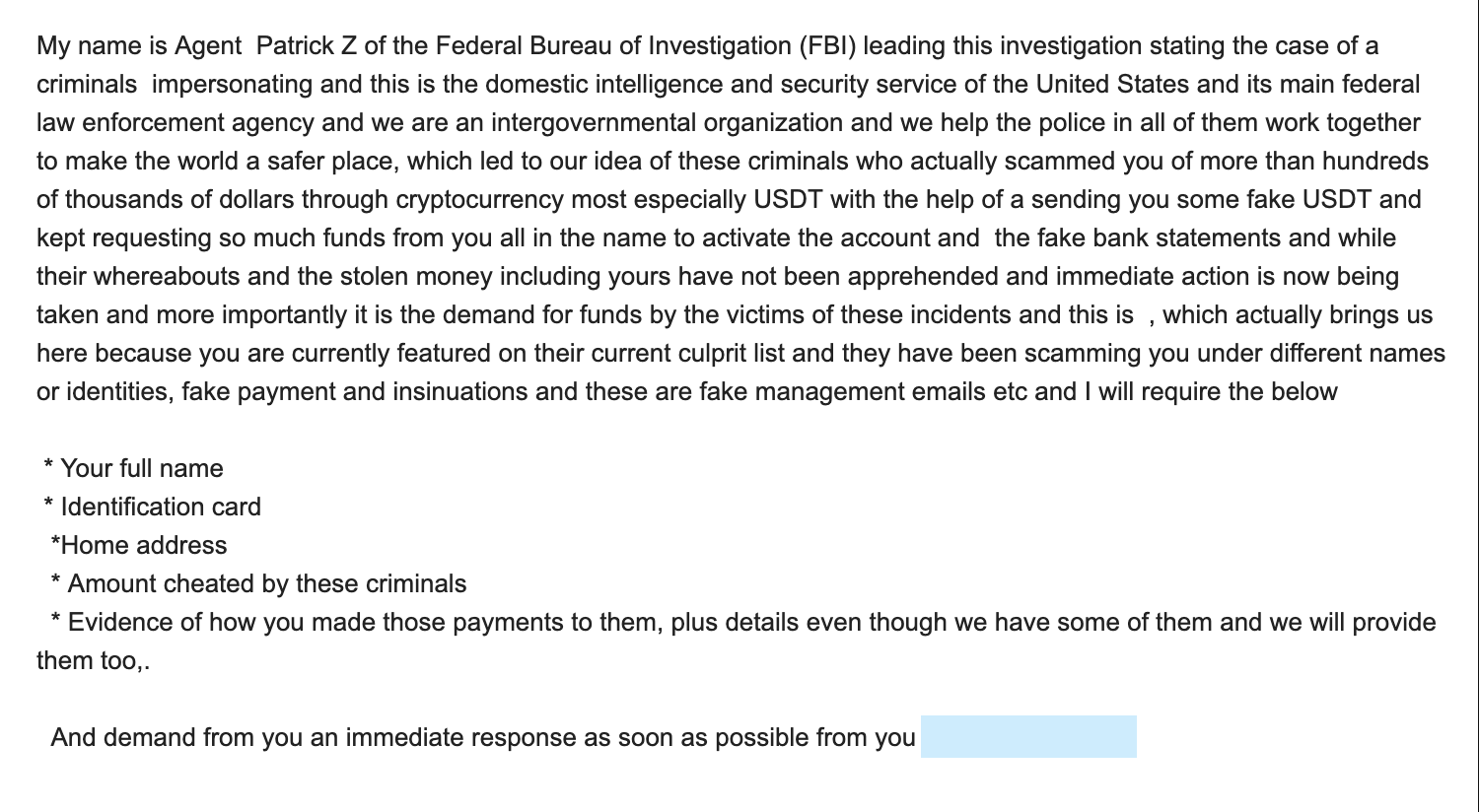
Different versions of this scam
3 examples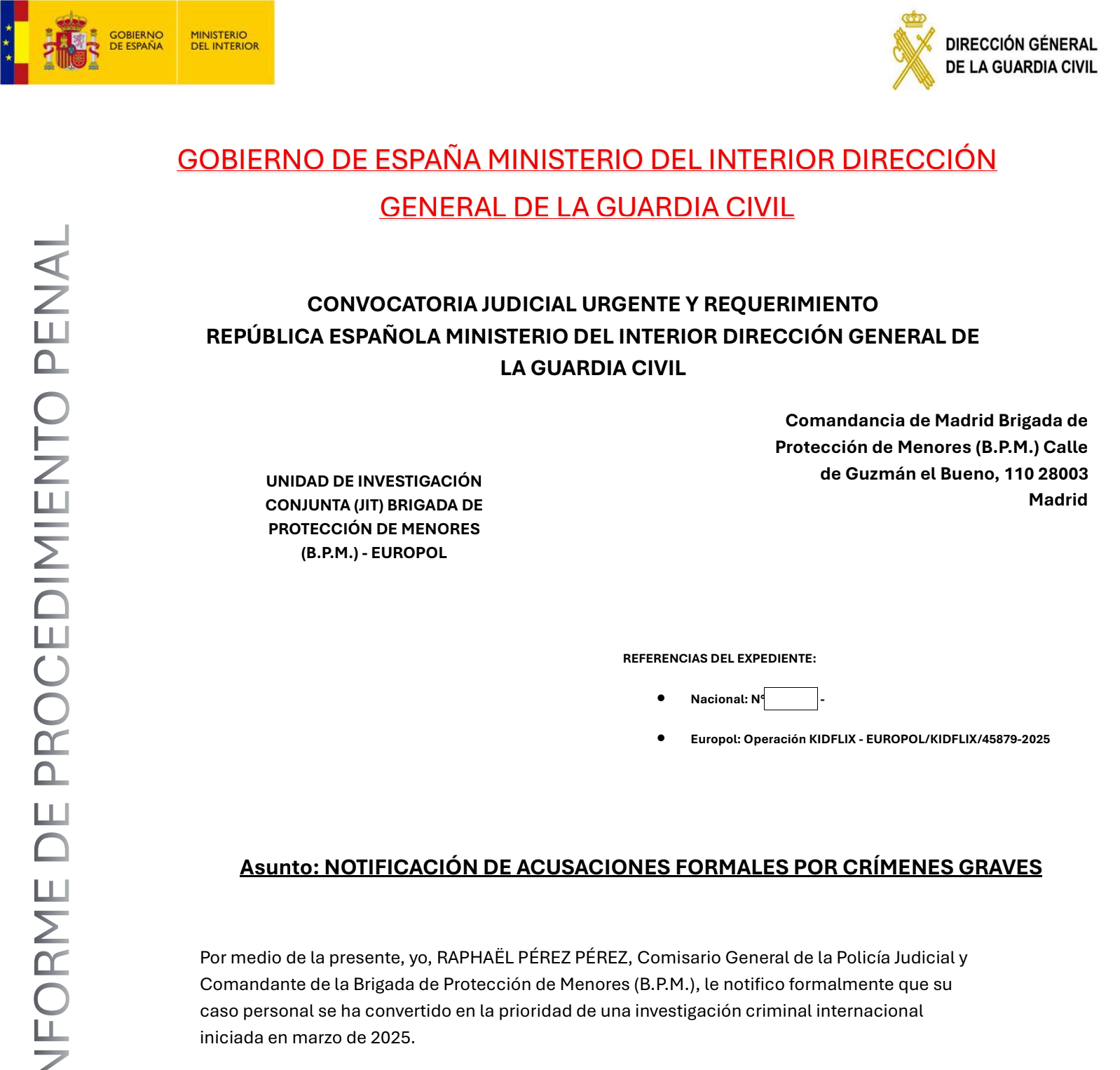

Need help with a similar message?
Do not reply, pay, or use contact details in an unexpected message. Verify through the official app or website, then report what you saw so the Archive can connect related patterns.
Quick tip: Verify independently
Don’t call numbers or click links in unexpected messages. Go directly to the company’s official site or app and contact support from there.