This is a version of Fake Game Download Malware Scam.
TuntunSahur malware uses a nested password-protected ZIP to deliver an installer
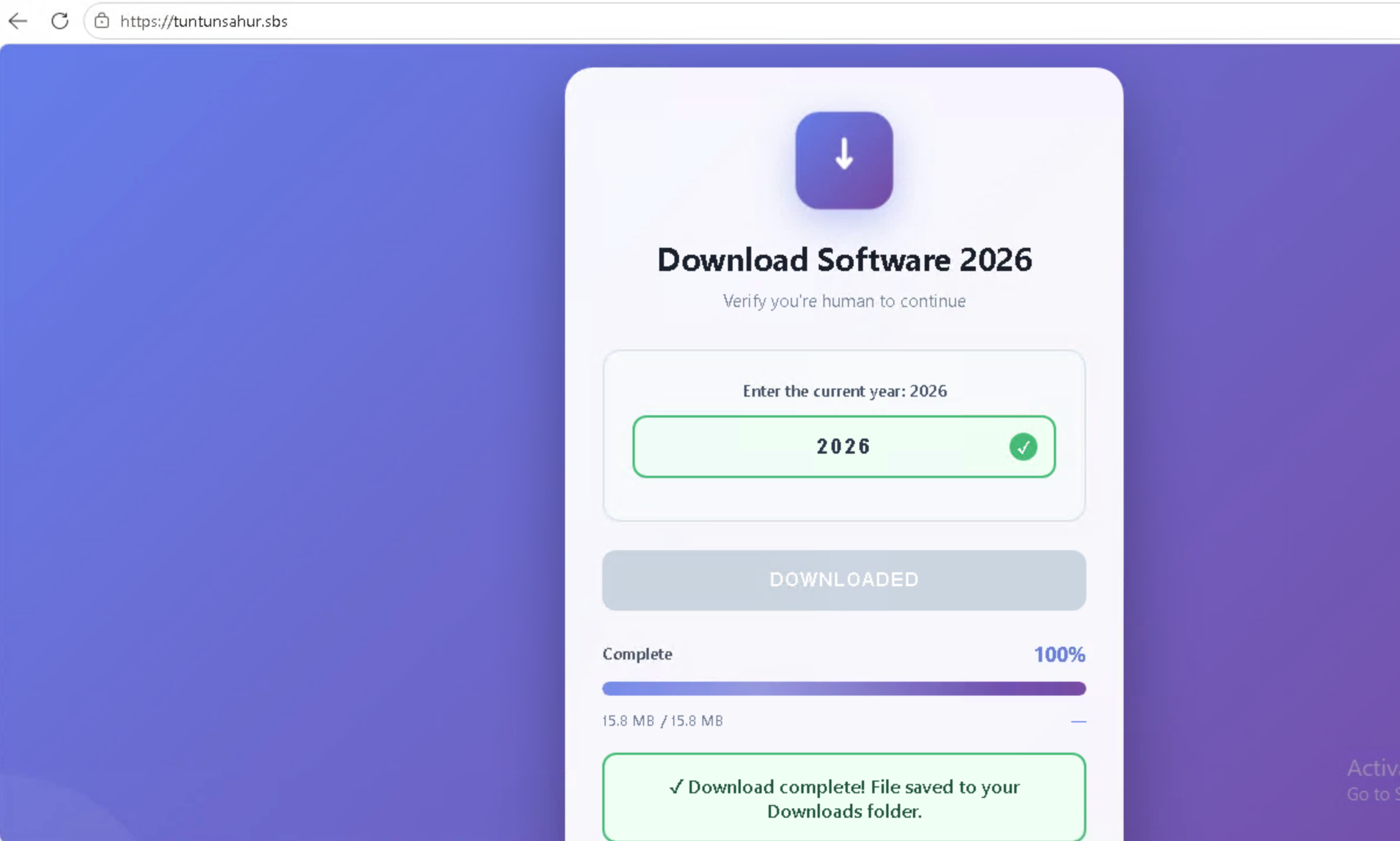
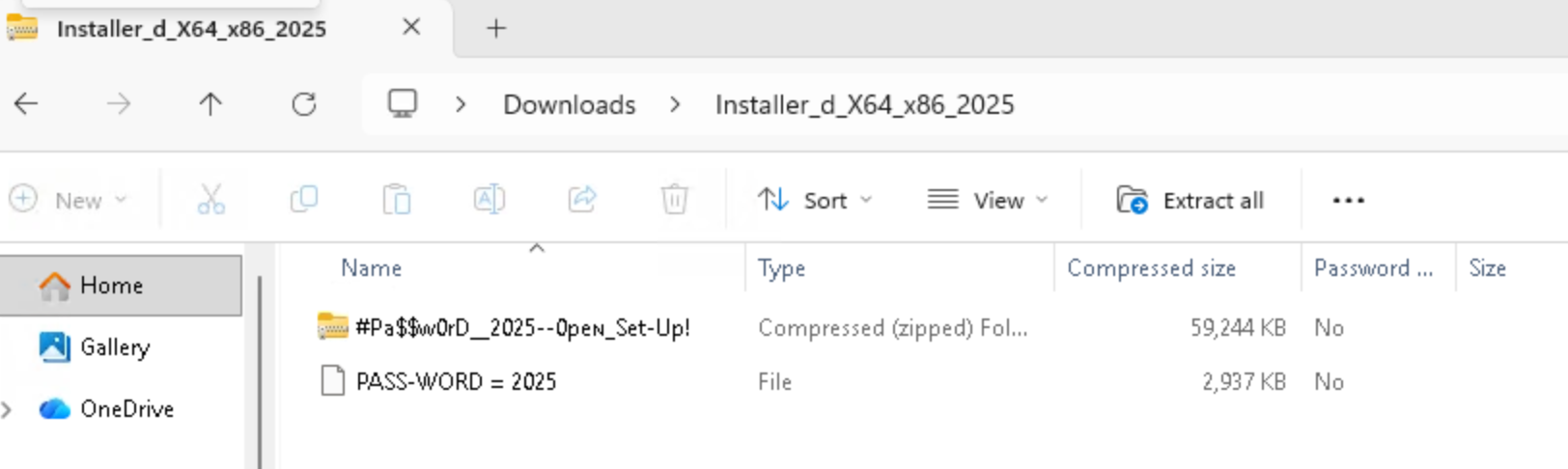
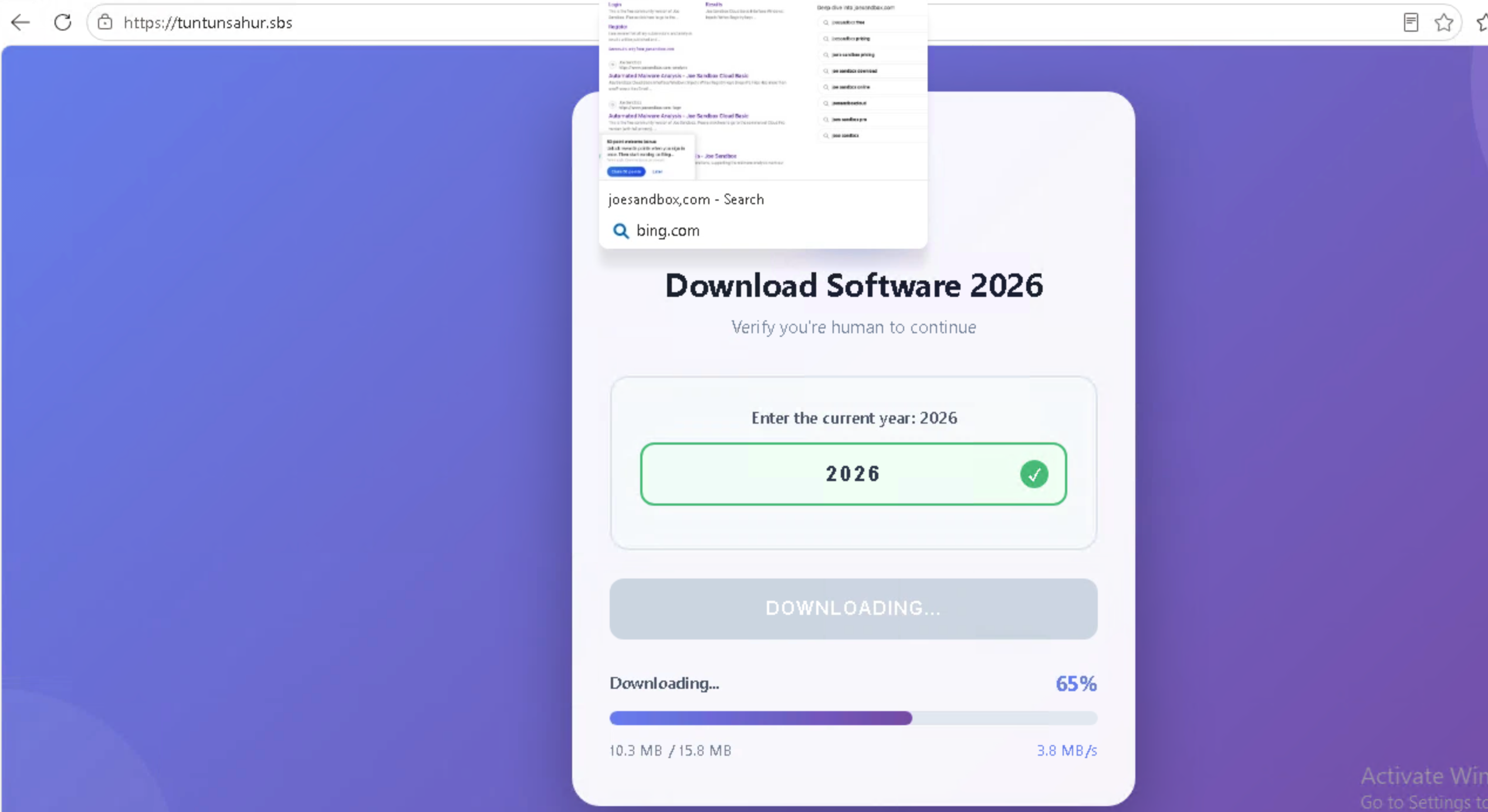
A page at tuntunsahur[.]sbs offers a TuntunSahur malware download. The page shows a fake software download that asks the visitor to enter the current year and then reports that a 15.8 MB file was downloaded. In the downloaded folder, an outer archive contains an encrypted ZIP named #Pa$$w0rD__2025--Open_Set-Up! and a separate file named PA$$-WORD = 2025. The inner archive contains an installer reported to be malicious.
What’s different in this version
These traits set this message apart from the usual pattern.
-
The page is hosted at tuntunsahur[.]sbs and presents itself as Download Software 2026.
-
The page asks the visitor to enter 2026 before showing a 15.8 MB download as complete.
-
The downloaded folder contains an encrypted ZIP named #Pa$$w0rD__2025--Open_Set-Up! and a separate file named PA$$-WORD = 2025.
-
The inner archive contains an installer reported to contain malware.
-
The TuntunSahur theme may make the malware download appealing to children and young gamers.
How this scam works
- 1
A page copies a familiar game platform or studio and advertises a new game, update, or playtest.
- 2
The page offers a password-protected ZIP and displays the password so the download can avoid some automated scanning.
- 3
The extracted files are presented as a Windows or macOS game, but may contain malware instead of a game.
- 4
Instructions may tell the victim to run an unknown program, paste a command into Terminal, or enter a computer password.
✓ Do this
- Close the page and report the account or message that shared it through the platform where you received it.
- If you downloaded the archive but did not open it, delete it and empty the Trash or Recycle Bin.
- If you ran it or entered a computer password, disconnect the device and ask a parent, teacher, trusted adult, or qualified technician for help.
- Change important passwords from a different clean device and revoke active sessions if the file was opened.
✗ Avoid this
- Do not download, extract, or run a game file from an unexpected link.
- Do not paste installation commands from a download page into Terminal or Command Prompt.
- Do not enter your computer password because a game installer or webpage asks for it.
- Do not assume a password-protected ZIP is safe or that a familiar gaming logo proves the download is real.
Verbatim excerpts from the scam
Exact lines from emails or messages—searchable text so you can compare wording.
- 1 Excerpt 1Download Software 2026
- 2 Excerpt 2Enter the current year: 2026
- 3 Excerpt 3Download complete! File saved to your Downloads folder.
- 4 Excerpt 4#Pa$$w0rD__2025--Open_Set-Up!
- 5 Excerpt 5PA$$-WORD = 2025
More screenshots
Additional images from this variation.