Fake Fiverr Payout Page Asking for Card Details
A copy of the Fiverr website tells a freelancer that a buyer has already paid for an order and that the money is waiting. To release it, the page says you must verify a bank card. A support chat opens by itself and repeats the request, and only a bank card is accepted. The card step happens on a second website, which asks for the card number, expiry date and security code. The page is not Fiverr, and anything typed into it does not reach Fiverr. Being paid never requires your card number or security code.
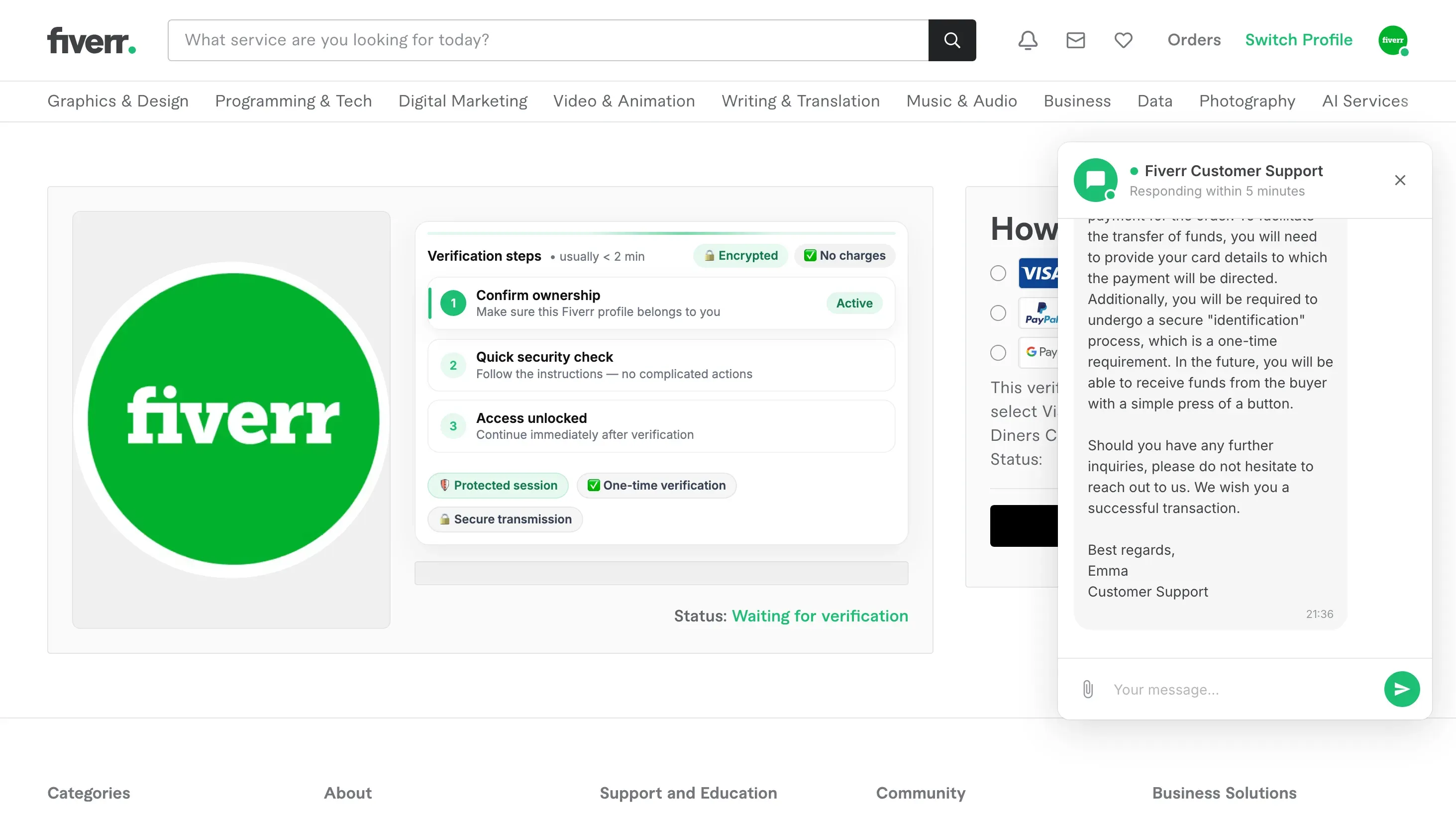
How this scam works
- 1
Step 1: You reach a page that looks like Fiverr, with the familiar logo, menus and footer. It shows an order a buyer has supposedly already paid for.
- 2
Step 2: A support chat opens by itself. It says the buyer's payment is waiting, and that you need to give card details so the money can be sent to you. It calls this a one-time identification.
- 3
Step 3: The page asks how you want to be paid, but a bank card is the only option it will accept. Nearby labels promise the page is encrypted and that no charge will be made.
- 4
Step 4: A press and hold button appears, described as a security check before confirming your order.
- 5
Step 5: The card step happens on a different website, which asks for the card number, expiry date and security code.
- 6
Step 6: While all this happens, someone is working the page live. The page reports back whether you are still on it, and the person at the other end can move you on to the next step.
✓ Do this
- Close the page.
- Open Fiverr yourself, by typing the address or using the app, and look at the order there. Money that is really owed to you shows up in your own account.
- If you entered card details, phone your bank using the number printed on your card and ask them to stop the card.
- Check your statement for charges you do not recognise, and keep checking for a few weeks.
- If you are unsure whether a payout message is real, ask Fiverr through its own help pages rather than through any chat on the page.
✗ Avoid this
- Do not give card details in order to receive money. Being paid never requires them.
- Do not trust the support chat on the page. It is part of the page, not a real support team.
- Do not press and hold to confirm an order on a page you did not open yourself.
- Do not rely on words like encrypted, protected or no charges shown on the page. Anyone can put them there.
- Do not continue just because the logo, menus and footer links look right. Those are easy to copy.
Different versions of this scam
0 examplesNeed help with a similar message?
Do not reply, pay, or use contact details in an unexpected message. Verify through the official app or website, then report what you saw so the Archive can connect related patterns.
Quick tip: Verify independently
Don’t call numbers or click links in unexpected messages. Go directly to the company’s official site or app and contact support from there.