Fake Cash App Payment Page Scam
A website copies Cash App branding and presents a payment checkout outside Cash App's official domain. It offers fixed or custom dollar amounts, then creates a Bitcoin Lightning invoice and displays a QR code or payment button. The page can make an irreversible cryptocurrency payment look like a normal Cash App checkout. The Cash App name, green branding, and verification-style badge do not prove that the page is operated by Cash App or that a payment will go to a legitimate recipient.
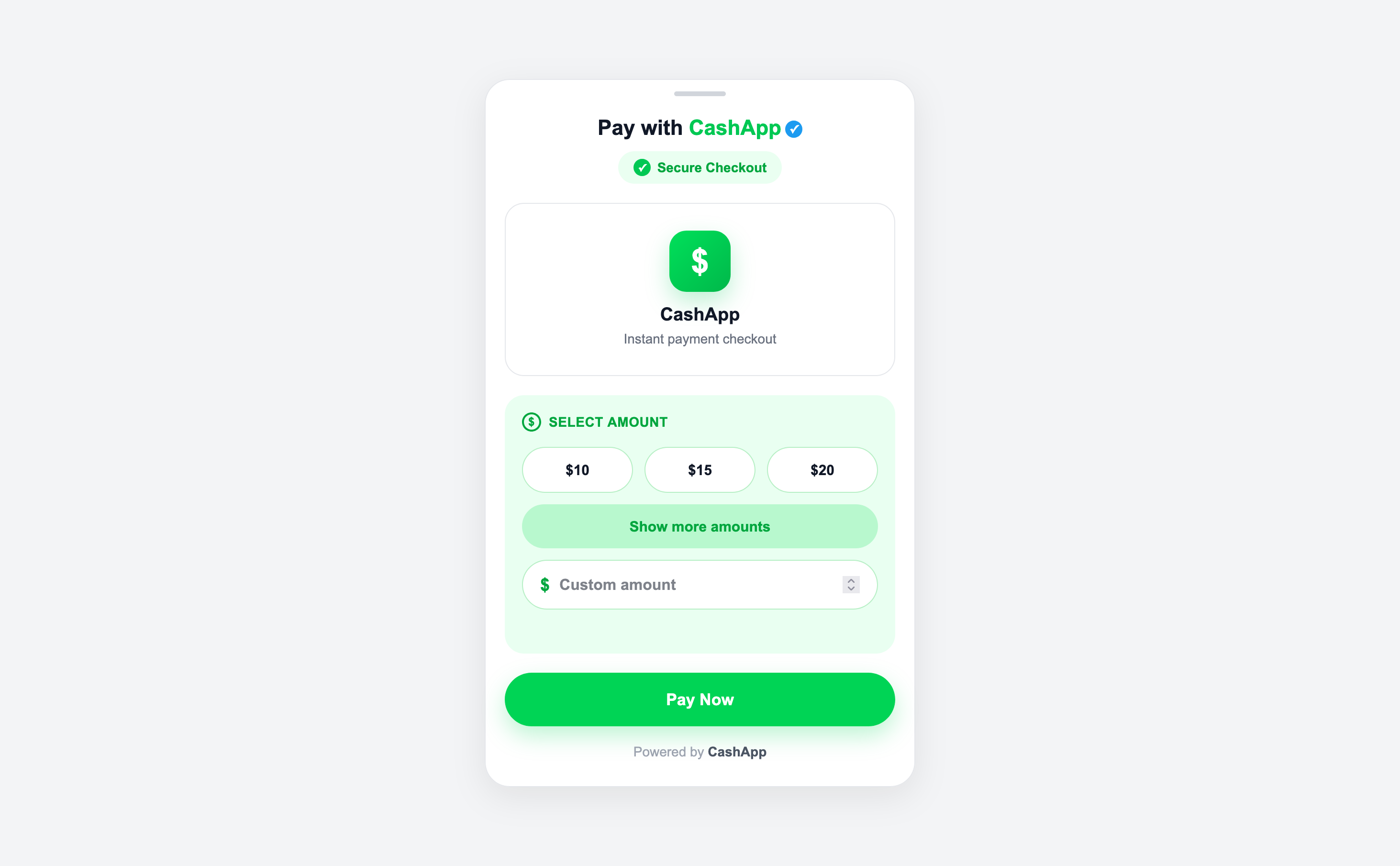
How this scam works
- 1
Step 1: You open a page on an unfamiliar domain that uses Cash App's name, colors, logo style, and payment language.
- 2
Step 2: The page asks you to choose a dollar amount or enter a custom amount, often creating urgency or presenting a checkout screen.
- 3
Step 3: The page contacts its own backend to create a Bitcoin Lightning invoice and shows a QR code, invoice text, or a button that attempts to open Cash App.
- 4
Step 4: If you pay, the cryptocurrency transfer may be difficult or impossible to reverse, and the page may not provide the protection or recipient verification of an official payment flow.
✓ Do this
- Close the page and do not scan its QR code or press Pay Now.
- Open Cash App through its official app or type the known official address yourself.
- Confirm the recipient and payment details inside the official app before approving any payment.
- If you already paid, save the page and transaction details and contact the wallet or service you used immediately.
- Report the impersonating page to Cash App and the hosting provider.
✗ Avoid this
- Do not assume a green Cash App design, check mark, or 'Secure Checkout' label proves the page is real.
- Do not pay a Lightning invoice or scan a QR code from an unfamiliar Cash App-branded domain.
- Do not trust an unfamiliar domain just because the page can create a working invoice.
- Do not enter passwords, recovery phrases, or payment information into an unofficial page.
Different versions of this scam
0 examplesNeed help with a similar message?
Do not reply, pay, or use contact details in an unexpected message. Verify through the official app or website, then report what you saw so the Archive can connect related patterns.
Quick tip: Verify independently
Don’t call numbers or click links in unexpected messages. Go directly to the company’s official site or app and contact support from there.