Fake Brand Recruitment Phishing
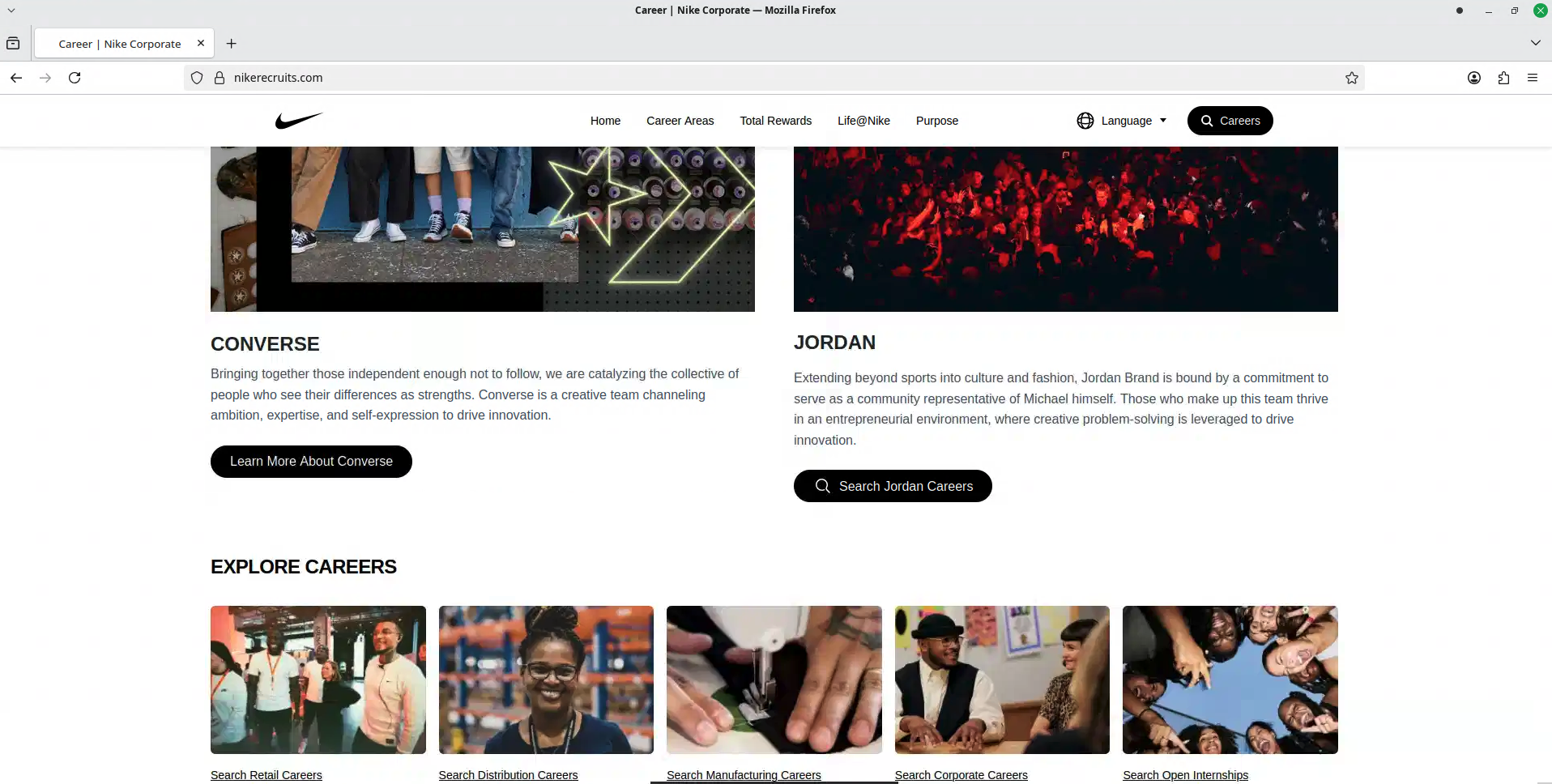
A fake recruitment website copies a well-known company’s careers page and asks job seekers to sign in through a social-media account. In this example, a page using Nike’s branding asked visitors to continue with Facebook and then displayed a screen requesting an SMS verification code.
How this scam works
- 1
The visitor reaches a polished careers page on a domain that is not the company’s official website. The page copies familiar logos, images, navigation, and job-related language.
- 2
The page presents a social-media login as the only way to continue an application, creating an opportunity to collect a password.
- 3
The flow may then ask for a one-time SMS code. Never enter that code into an unexpected page: it may be used during an attempted account takeover.
✓ Do this
- Open the employer’s official website yourself and find its careers page there.
- Check the address bar before entering a password or verification code.
- If you entered a reused password, change it through the real service and review recent sign-ins.
- Report suspicious recruitment pages to the impersonated company and the relevant platform.
✗ Avoid this
- Do not enter a social-media password into a job page reached through an unexpected link.
- Do not enter or share a one-time verification code with a recruiter or website.
- Do not assume a page is genuine because it uses a familiar logo, video, or professional design.
Different versions of this scam
0 examplesNeed help with a similar message?
Do not reply, pay, or use contact details in an unexpected message. Verify through the official app or website, then report what you saw so the Archive can connect related patterns.
Quick tip: Verify independently
Don’t call numbers or click links in unexpected messages. Go directly to the company’s official site or app and contact support from there.