Cloud-Hosted Phishing Page Scam
Scammers can use legitimate cloud-storage and file-hosting services to publish fake sign-in pages, payment forms, prize pages, delivery notices, and downloads. The cloud provider's name in a web address does not mean that the page or offer belongs to that provider or to the brand shown on the page. The real warning signs are what the page asks you to do and whether the address matches the organization you intended to visit.
How this scam works
- 1
Step 1: A message, advertisement, social post, or search result sends you to a file or page hosted on a legitimate cloud-storage service.
- 2
Step 2: The page copies the name, logo, colors, or layout of a bank, courier, retailer, government office, or other trusted organization.
- 3
Step 3: The page asks you to sign in, pay a fee, enter card details, share an identity number, download a file, or provide a verification code.
- 4
Step 4: The submitted information may be sent to the scammer, or the download may lead to another harmful step. The hosting provider's name does not validate the page.
✓ Do this
- Stop when a cloud-storage link opens a page asking for a password, payment, identity number, verification code, or download.
- Open the real organization's app or type its known website address yourself.
- Check the full web address and confirm that it belongs to the organization you intended to visit.
- Report the page to the impersonated organization and the hosting provider, then delete the message or advertisement.
- Contact your bank or change exposed passwords through the official service if you already submitted information.
✗ Avoid this
- Do not assume a link is safe because it contains Amazon, Cloudflare, Backblaze, Microsoft, Google, or another familiar cloud-provider name.
- Do not enter payment, identity, login, or verification information into an unexpected hosted page.
- Do not download files from a page that arrived unexpectedly or claims you need an update or special viewer.
- Do not use the suspicious page's own contact details or links to verify the offer.
Different versions of this scam
1 example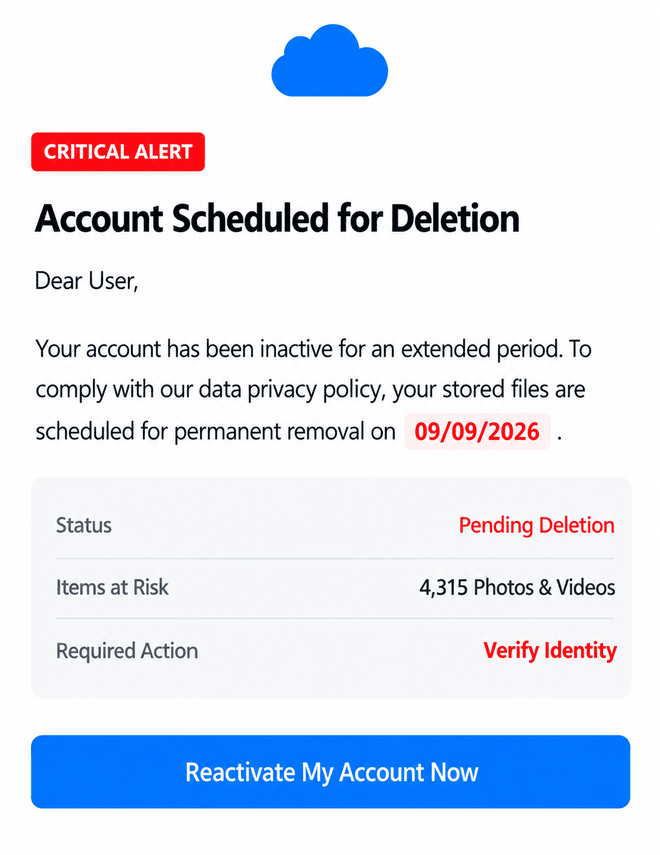
Need help with a similar message?
Do not reply, pay, or use contact details in an unexpected message. Verify through the official app or website, then report what you saw so the Archive can connect related patterns.
Quick tip: Verify independently
Don’t call numbers or click links in unexpected messages. Go directly to the company’s official site or app and contact support from there.