Amazon Product Recall Smishing Scam
Scammers send mass SMS messages impersonating Amazon's "Risk Management Team," claiming a recent purchase has been recalled due to "2026 safety requirements." A fake order number adds false legitimacy. The link leads victims through a fake human-verification checkpoint, then to a convincing counterfeit Amazon login page designed to steal their email address and password.
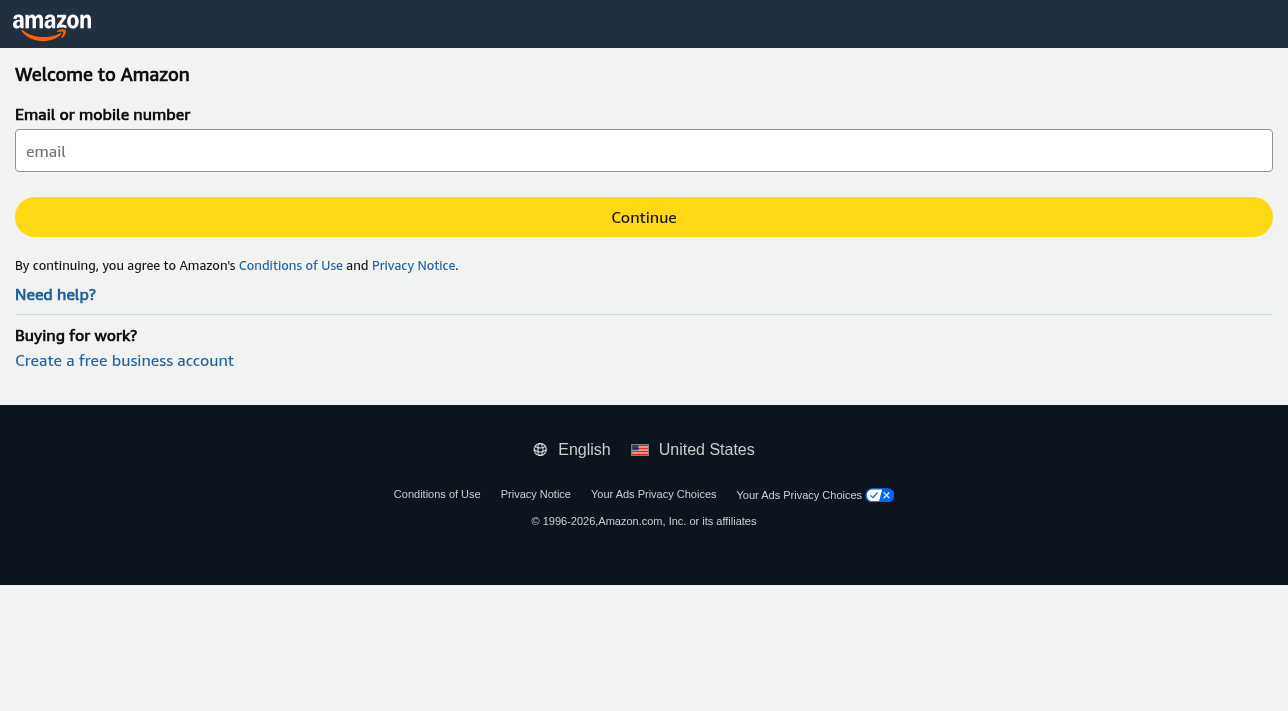
How this scam works
- 1
Step 1: Victim receives an iMessage or SMS claiming to be from Amazon Risk Management, stating that an item from a recent order has been recalled and a refund must be processed urgently.
- 2
Step 2: A fake but realistic-looking order number is included (e.g., 115-7293846-5401927) to create the appearance of a legitimate notice.
- 3
Step 3: The victim clicks a shortened URL (e.g., k6b1q4.co) that redirects to the scammer's infrastructure.
- 4
Step 4: A fake 'Human Verification' page (mimicking a reCAPTCHA-style checkbox) filters out security bots before revealing the phishing payload.
- 5
Step 5: The victim lands on a counterfeit Amazon login page (hosted on a non-Amazon domain like v2k9a.shop) that closely copies Amazon's sign-in interface, asking for their email or mobile number.
- 6
Step 6: After entering their email, the victim is prompted for their password — credentials are silently sent to the scammers.
- 7
Step 7: Bots and scanners are served harmless shopping surveys instead of the phishing page, helping the scam evade automated takedowns.
✓ Do this
- Log in to Amazon directly at amazon.com by typing the address into your browser — never via a link in a text or email.
- Check your real order history in the Amazon app or website to verify any recall claims.
- Report suspicious texts to Amazon at stop-spoofing@amazon.com and to the FTC at reportfraud.ftc.gov.
- Forward the message to 7726 (SPAM) to report it to your mobile carrier.
- If you entered credentials on a fake site, change your Amazon password immediately and enable two-factor authentication.
✗ Avoid this
- Never click links in unsolicited text messages claiming to be from Amazon, even if they include a real-looking order number.
- Do not trust a 'Human Verification' checkpoint on a site you reached from a text — it is a filter to hide phishing from security researchers.
- Never enter your Amazon login on any domain other than amazon.com.
- Do not assume emojis or friendly language in a text make it legitimate.
- Do not reply to the text — even a 'STOP' reply confirms your number is active.
Different versions of this scam
1 exampleNeed help with a similar message?
Do not reply, pay, or use contact details in an unexpected message. Verify through the official app or website, then report what you saw so the Archive can connect related patterns.
Quick tip: Verify independently
Don’t call numbers or click links in unexpected messages. Go directly to the company’s official site or app and contact support from there.