confirmed Brand: Zoom
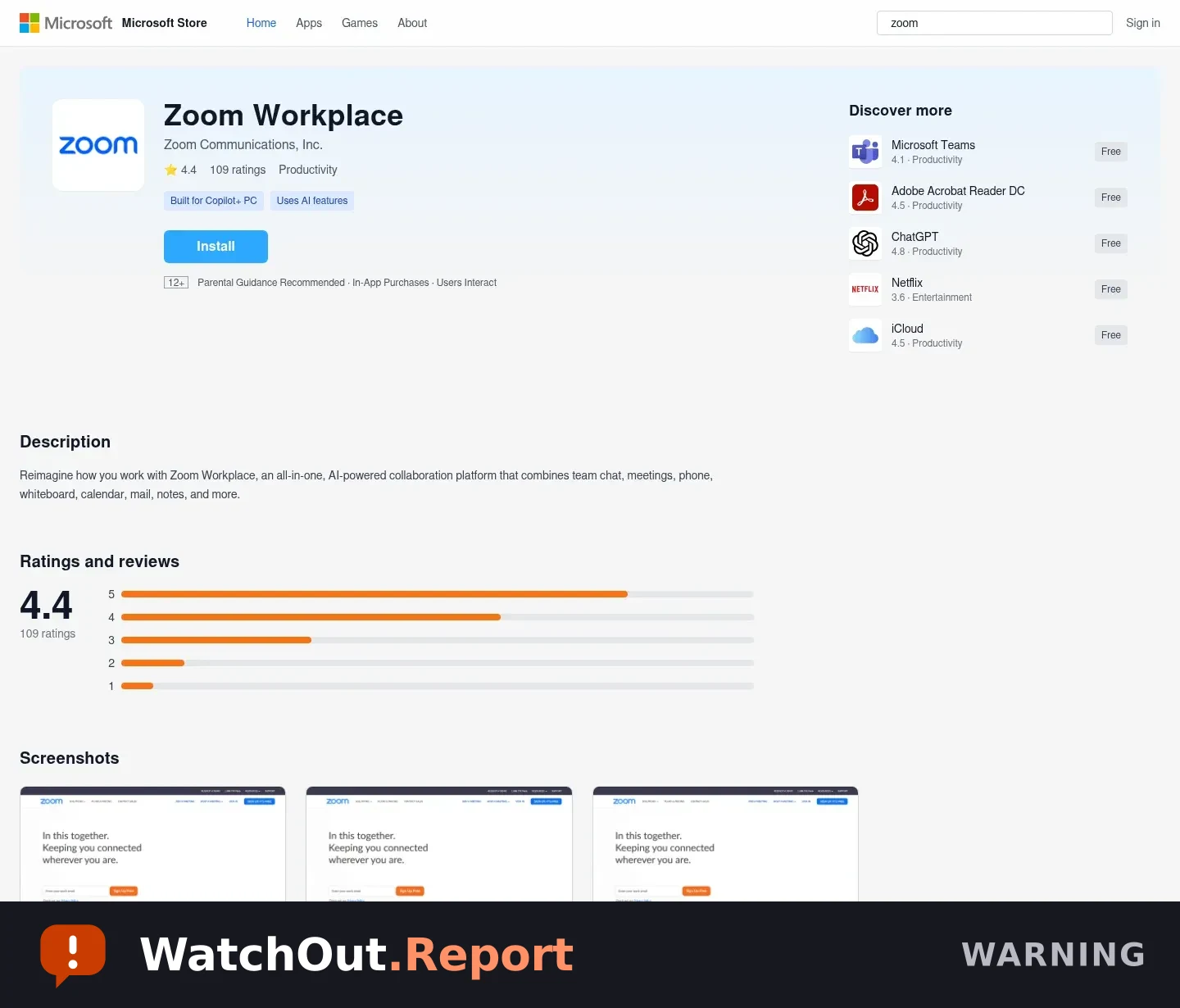
A Zoom-branded meeting page can deliver a ScreenConnect installer through a fake Microsoft Store
The observed page uses Zoom Workplace branding inside an S3-hosted imitation of a Microsoft Store listing. Its install flow presents a plug-in or update pretext and initiates a download of ScreenConnect[.]ClientSetup[.]msi from pivotalequipmentllc2[.]screenconnect[.]com. The infrastructure and delivery sequence are inconsistent with a normal Zoom meeting workflow.
Observed domain or link
- zoom-meet-us997234[.]s3[.]us-east-2[.]amazonaws[.]com
- pivotalequipmentllc2[.]screenconnect[.]com
What to do
- Do not open the invite or install the offered plug-in or update.
- If the file was downloaded, do not open it. Delete it and empty the recycle bin or trash.
- Run a security scan using your device's trusted security software.
- If you entered a password, change it from a separate trusted device and turn on multi-factor authentication.
- Report the message to the service or organization it impersonates.
What this alert does not establish
- The landing page was reviewed without executing the downloaded installer.
- The page content observed shows a fake Microsoft Store presentation and a download-started message; this record does not claim independent malware analysis of the MSI file.
- The hosting and download URLs may change or stop responding.
Share this warning
This alert is also on WatchOut, our shareable alert feed, with one-tap sharing and free email alerts.